Understanding Financial Dashboards
Last updated: October 20, 2025
TeamCare provides comprehensive financial insights to help your practice understand performance, identify opportunities, and drive consistent growth. The Financial Dashboards bring together all the key data your practice needs to monitor production, collections, and insurance metrics in one place.
This article covers:
Overview of Financial Dashboards
Production Dashboard
Collections Dashboard
Insurance Dashboard
Filtering and customizing your data
Overview of the Financial Dashboards
Within TeamCare’s Financial section, you’ll find dashboards designed to give your practice complete visibility into financial performance. These dashboards provide real-time access to critical data points that help you understand where your business stands and where you can improve.
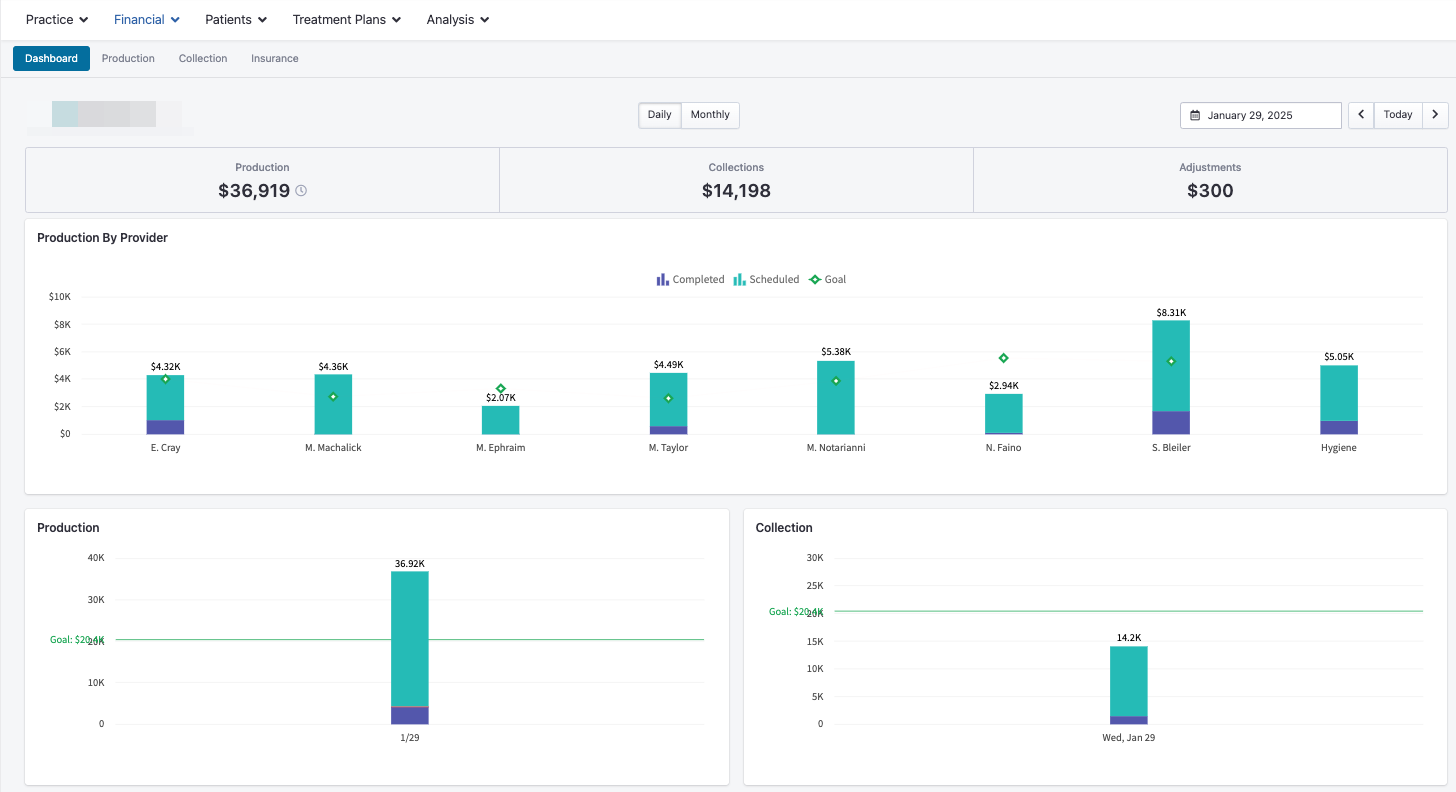
You can view and track:
Production – Completed, scheduled, and total production for the selected period.
Collections – Daily and monthly breakdowns, including over-the-counter (OTC) and insurance collections.
Adjustments – Detailed visibility into financial adjustments impacting net production.
Each dashboard allows you to filter by provider, date range, and service type, making it easy to analyze trends and performance across your practice.
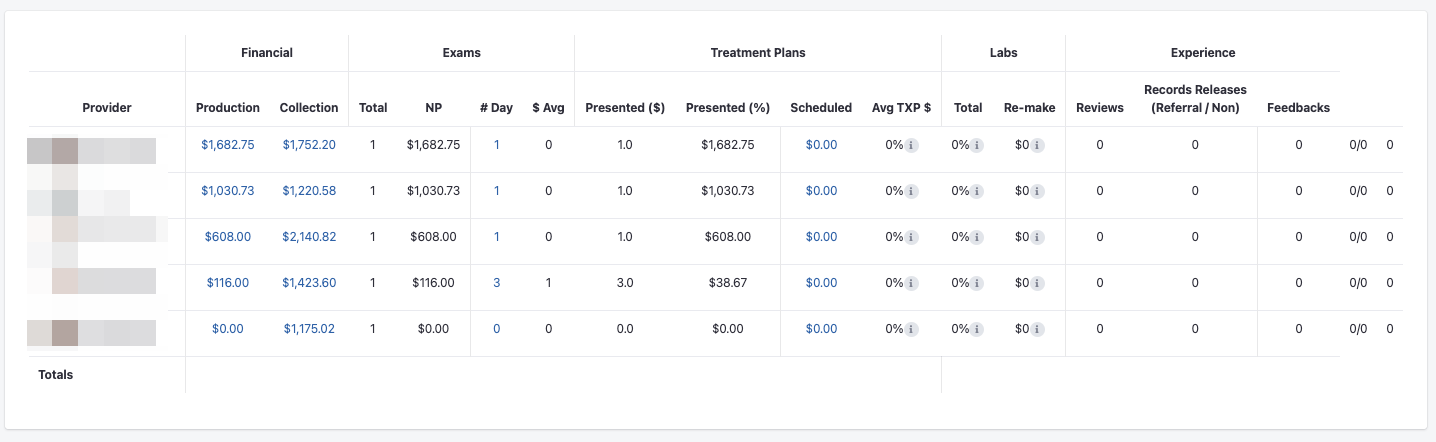
Production Dashboard
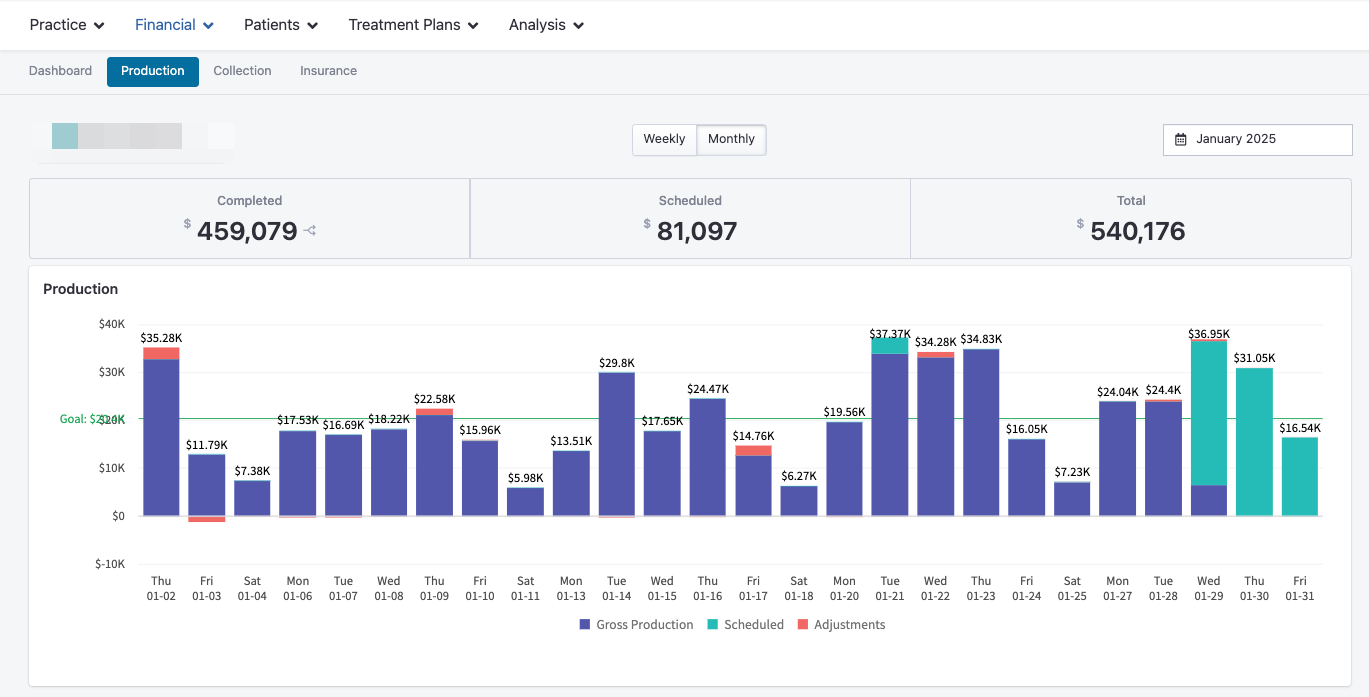
The Production Dashboard provides a detailed view of your production performance. You’ll find this under the Financial tab in your TeamCare account.
By default, the dashboard displays data for the current month, including:
Completed Production – Work that has been performed and posted.
Scheduled Production – Upcoming appointments with scheduled production value.
Total Production – A combined view of completed and scheduled production.
You can also view:
Production by Day – Track daily performance and spot trends.
Production vs. Goals – See how your actual performance aligns with practice goals.
Production by Procedure Type – Identify which services drive the most revenue and where there may be growth opportunities.
Production by Provider – Analyze performance for individual team members.
These insights help you measure productivity and forecast future outcomes with accuracy.
Collections Dashboard
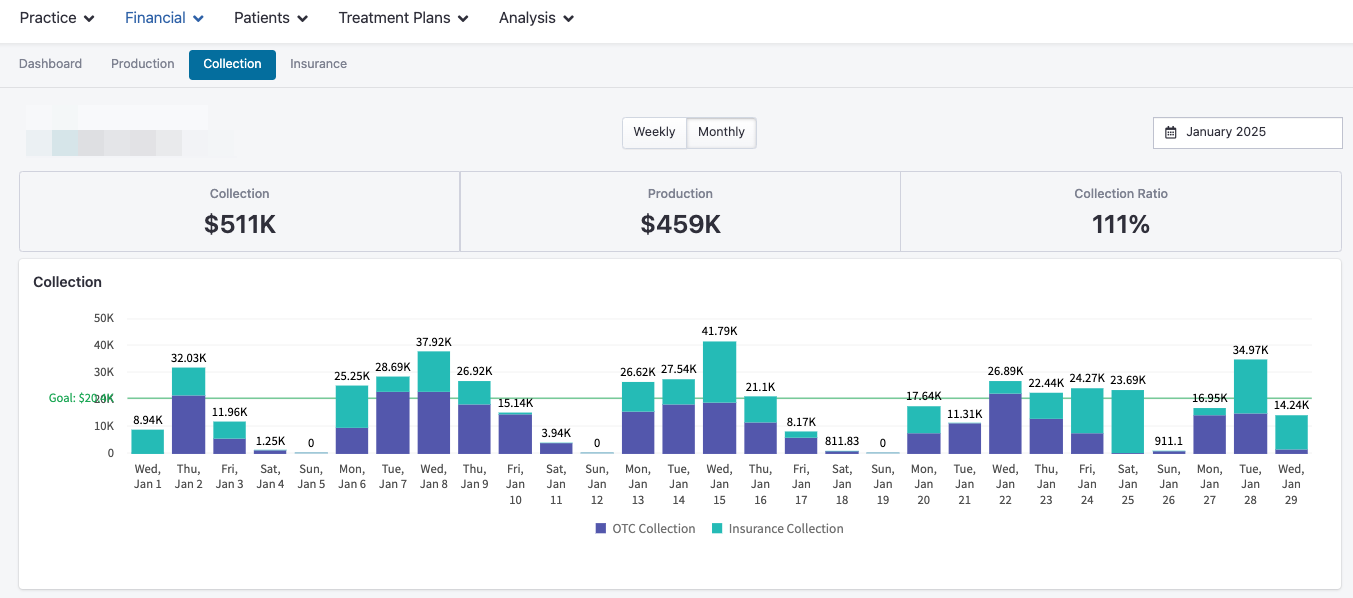
The Collections Dashboard gives you a detailed look at how your practice is collecting revenue. You can access it by navigating to the Collections tab within your Financial Dashboards.
Here, you’ll see key metrics such as:
Total Collections – The amount collected during your selected date range.
Collection Ratio – The percentage of collected versus produced revenue.
Daily Breakdown – Insight into daily over-the-counter (OTC) and insurance collections.
Trends Over Time – Identify fluctuations in collection performance to guide operational improvements.
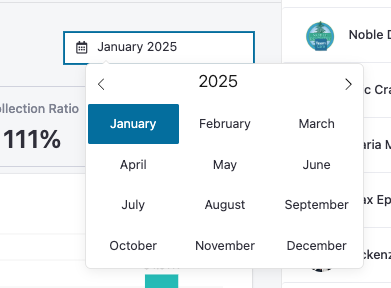
Use the date picker in the top-right corner to filter by week, month, or custom time periods. This allows you to understand how your practice’s collection performance evolves over time and how it aligns with your financial goals.
Insurance Dashboard
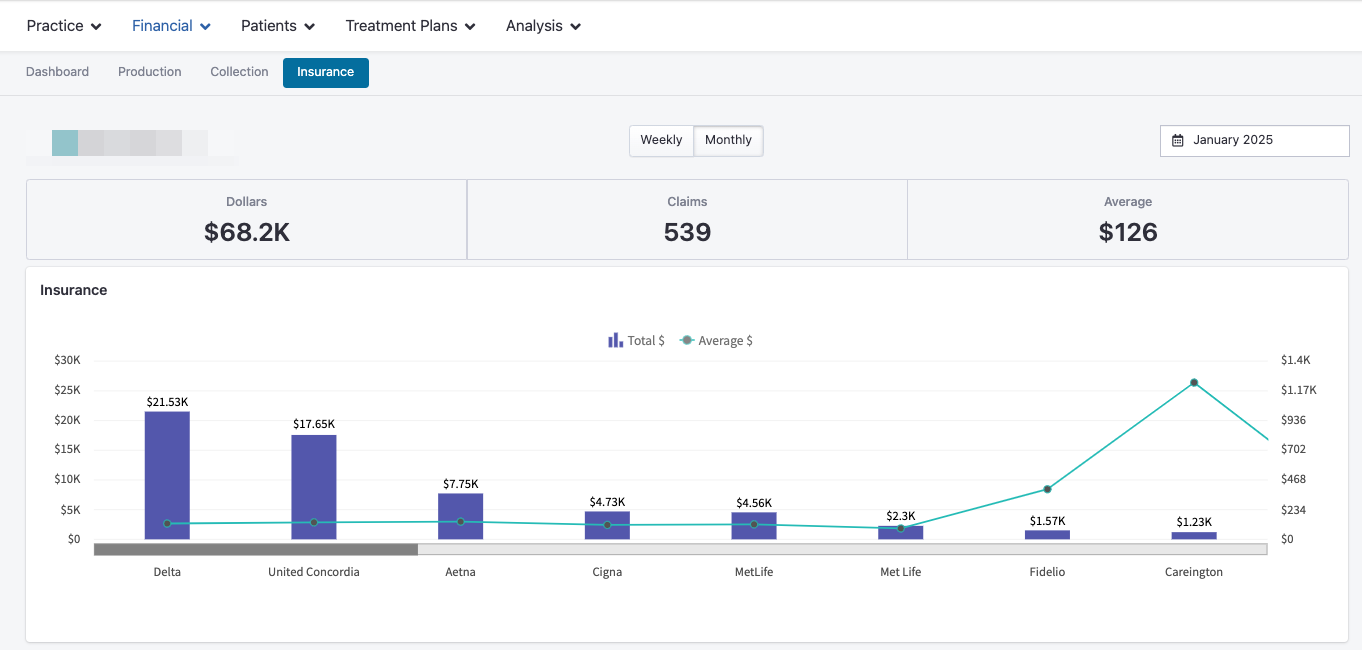
The Insurance Dashboard helps you understand how insurance activity impacts your overall financial performance. You can access it under the Insurance tab in your Financial Dashboards.
By default, it displays data for the current month, but you can adjust the time range using the date picker in the top-right corner.
You’ll see metrics such as:
Total Insurance Dollars – The total value of claims submitted within the selected period.
Number of Claims – Total count of insurance claims processed.
Average Claim Amount – Average dollar amount per claim submitted.
Breakdown by Insurance Carrier – A detailed view showing how insurance dollars are distributed across carriers.
These insights allow your team to identify which carriers and claim types are most common, streamline billing workflows, and manage insurance performance more effectively.
Filtering and Customizing Data
Every financial dashboard includes flexible filtering options to tailor your view:
Date Picker – Adjust the reporting period to view daily, weekly, monthly, or custom ranges.
Provider Filter – Drill down into specific provider performance metrics.
Procedure Type Filter – Focus on key service categories that drive production and revenue.
Using these filters ensures that your reports are always relevant and aligned with your current goals and priorities.