Understanding Treatment Plans Dashboard
Last updated: October 20, 2025
TeamCare provides a complete set of dashboards to help your practice understand, track, and improve Treatment Plan Presentation and Acceptance across your team. These insights help identify trends, measure performance, and drive more effective patient engagement.
1. Treatment Plan Presentation
This section helps you monitor how treatment plans are presented to patients, their value, and when presentations occur.
Presentation Dashboard
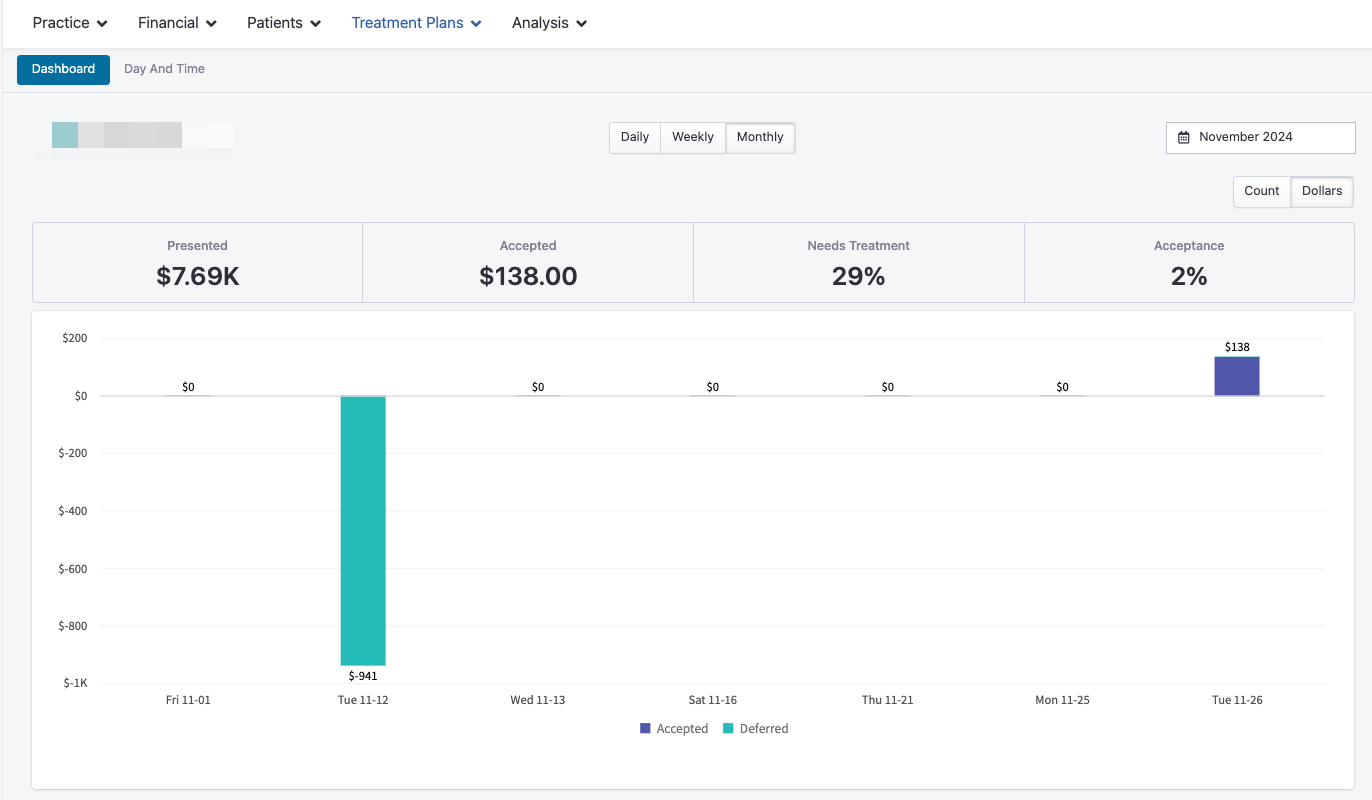
Displays total treatment plans presented, accepted, and pending, along with acceptance percentages.
Data can be viewed by count or dollar value, and filtered by day, week, or month.
Day & Time Dashboard
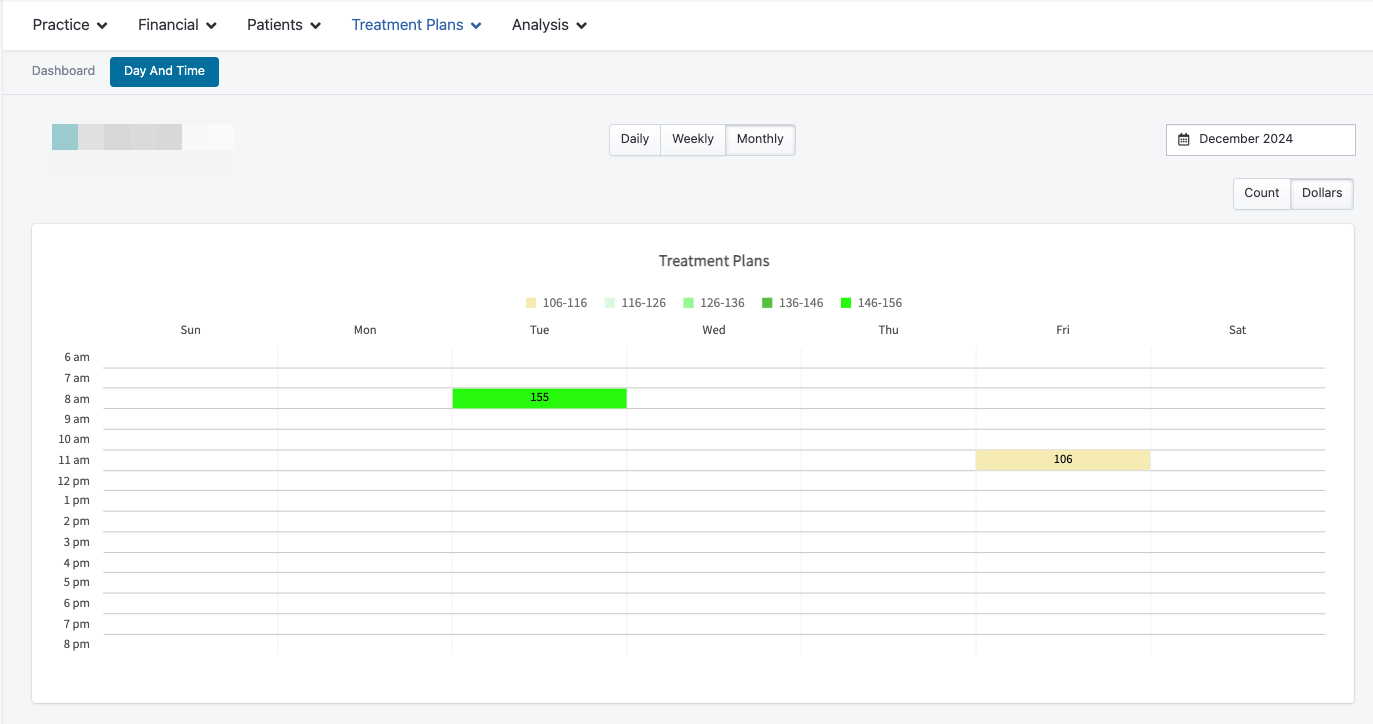
Breaks down presentations by specific days and times to identify patterns or opportunities for improvement.
Viewable in both count and dollars for any chosen period.
2. Treatment Plan Acceptance
Once treatment plans are presented, TeamCare tracks how they are accepted across different patient segments and roles.
Patient Age Dashboard
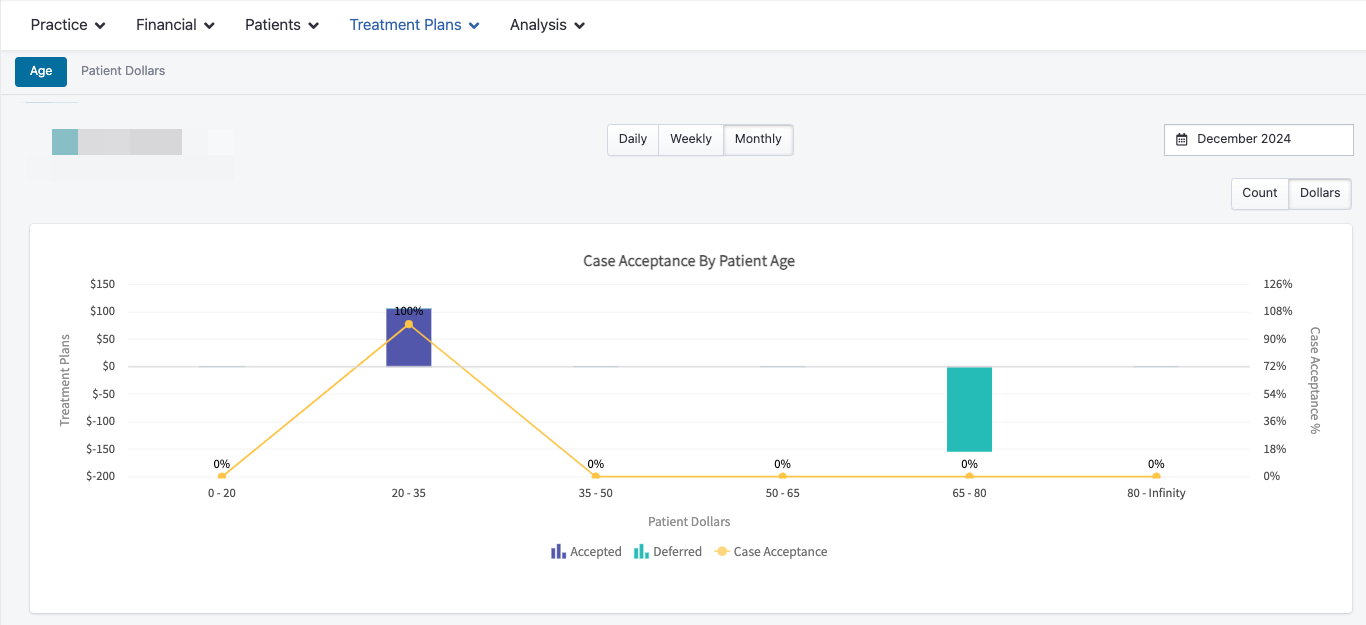
Shows case acceptance rates by patient age group, including presented, accepted, scheduled, and deferred plans.
Can be filtered by daily, weekly, or monthly data, and viewed by count or dollars.
Patient Dollars Dashboard
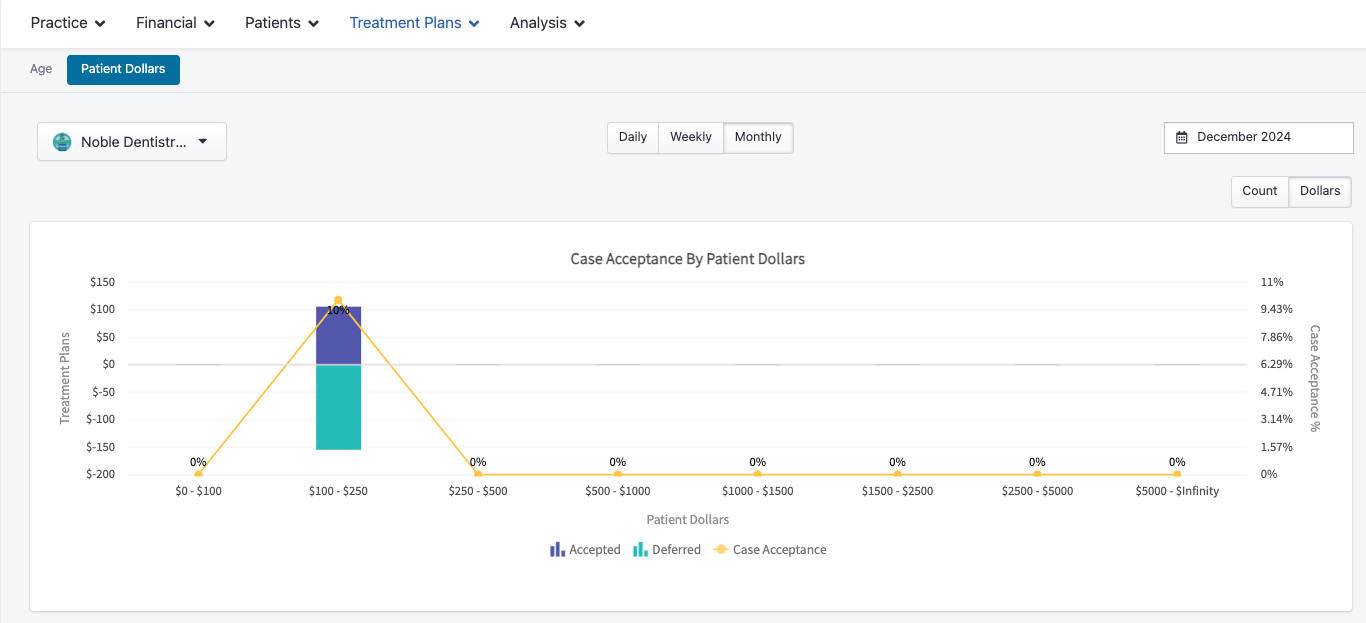
Provides similar insights but segmented by financial amounts.
Highlights accepted, deferred, and scheduled cases, with breakdowns by amount group and presented value.
3. Treatment Plan Role Dashboards
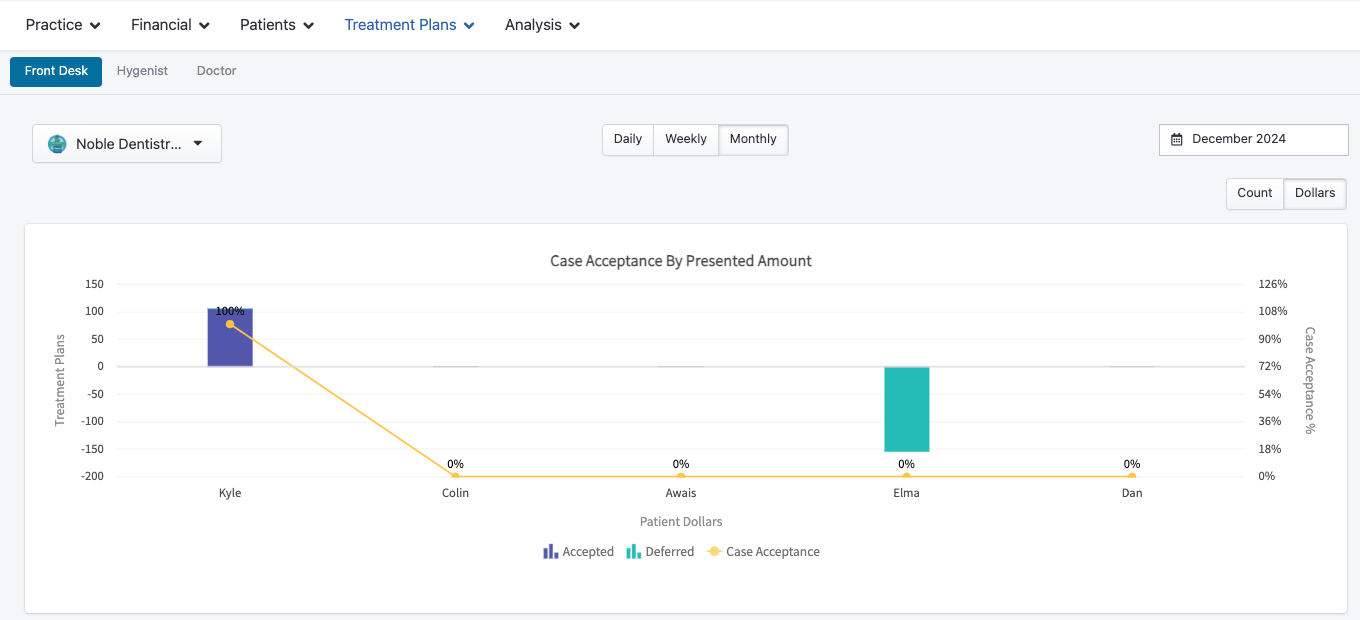
Track case acceptance by Front Desk, Hygienist, or Doctor to see how each role contributes to treatment plan success.
Each role-specific dashboard shows presented amounts, accepted and deferred plans, and acceptance percentages.
Data can be viewed by count or dollars, and filtered by day, week, or month.
These insights help identify training opportunities and celebrate high performers.