Finding Unaccepted Treatment by Provider
Last updated: February 10, 2026
As we formalize and deepen our integration with PMS and directly Treatment Plan records (which is different than the procedure records), this article will update, change and improve
Currently you can identify unaccepted treatment by analyzing "Planned" procedures within our Data Search tool.
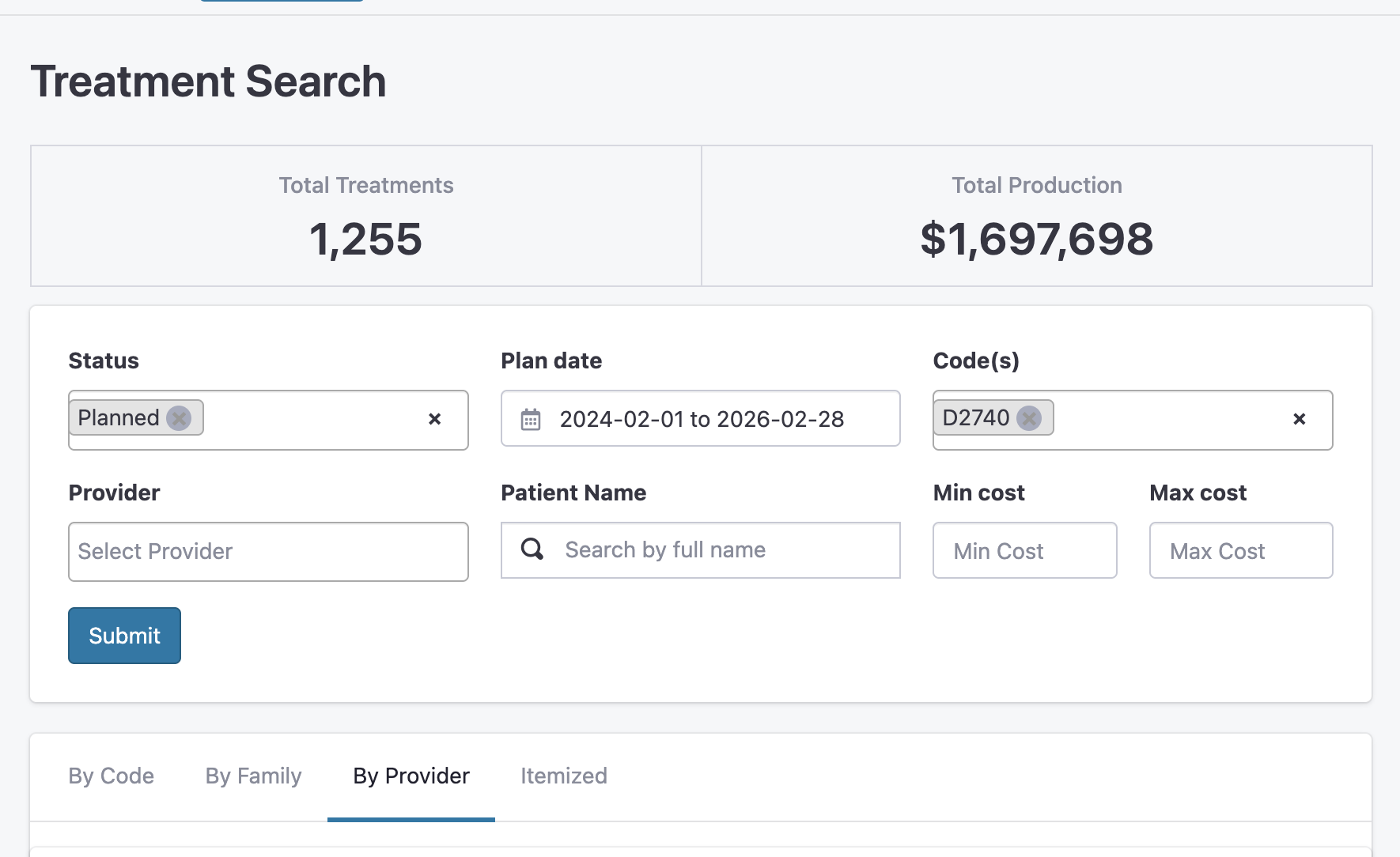
How to run the search
To find unaccepted treatment for a specific provider, follow these steps:
Navigate to the Tool: Go to Analytics > Analysis > Data Search > Procedures.
Set the Status: In the Status dropdown, select Planned. This filters for procedures that have been treatment planned but not yet completed or scheduled.
Define the Date Range: Select a broad Plan date range (e.g., the last 12–24 months) to capture all outstanding plans.
Filter by Provider: Use the Provider dropdown to select the specific doctor you are searching for.
Refine by Code (Optional): If you are looking for high-value unaccepted treatment (like Crowns or Implants), add specific Code(s) to the filter.
Click Submit: This will generate the "Total Treatments" and "Total Production" figures for that provider's unaccepted plans.
Understanding the Results
Once your results are generated, use the tabs at the bottom of the screen to organize the data:
By Provider: See a high-level summary of total unaccepted production for the selected doctor.
Itemized: This is the most detailed view. It allows you to see the specific patient names and the individual procedures that make up the "Planned" total.
By Code / By Family: Use these to see which types of treatments (e.g., Restorative vs. Preventive) are most frequently left unaccepted.
Pro Tip: The Itemized tab is your "hit list." You can use this list to reach out to patients and get those planned treatments onto the schedule.