How to View Historical Incentive Payouts and Incentives
Last updated: February 26, 2026
You can access historical bonus and incentive payout information for previous months through the Incentives reporting feature. Here's how:
Click on Incentives in the bottom left menu
Click Reporting and Payouts in the top right corner
Use the month filter at the top of the page to select the previous month you want to review
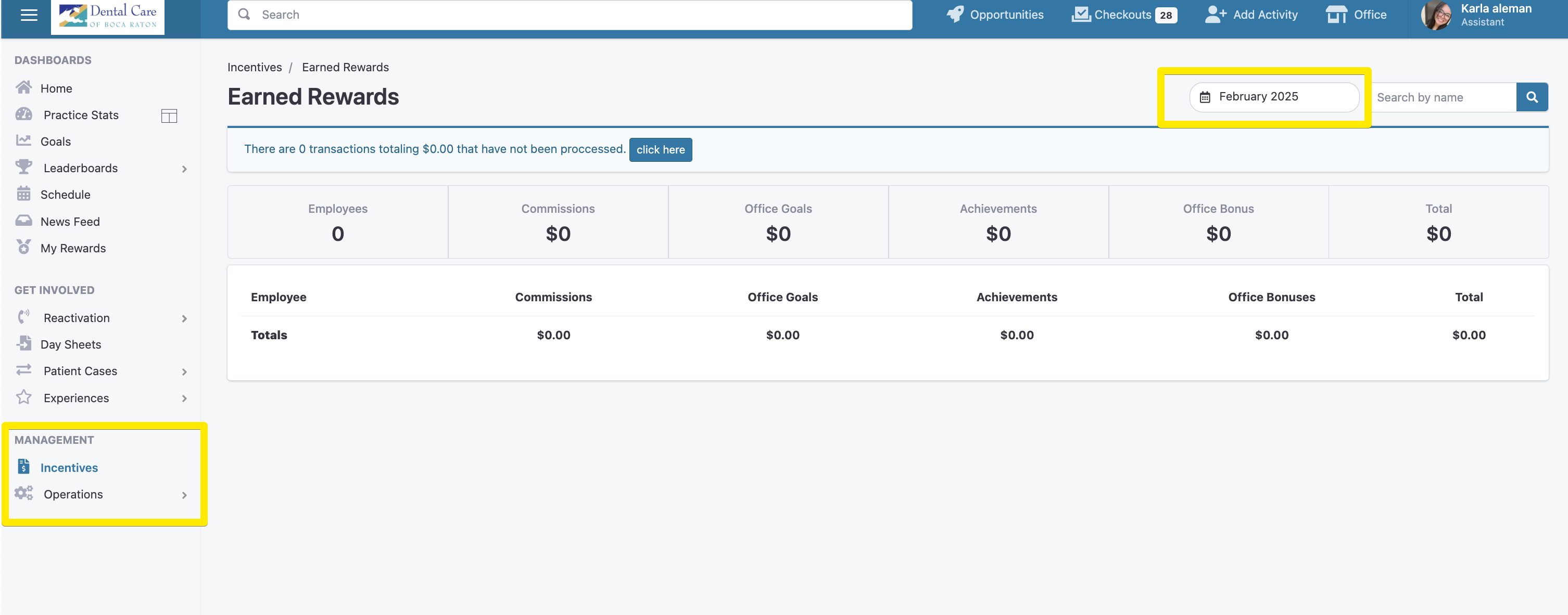
The report will display detailed information about all incentive payments, including:
Commissions
Office goals
Individual achievements
Bonus payments
This historical view helps maintain accurate records for staff payments and provides transparency into all incentive payouts.