Internal Reporting
Last updated: February 4, 2026
📊 Tracking Performance & Activity
You can’t manage what you don’t measure. The Scheduler includes a dedicated reporting dashboard for Office Managers to track ROI.
What You Can Track:
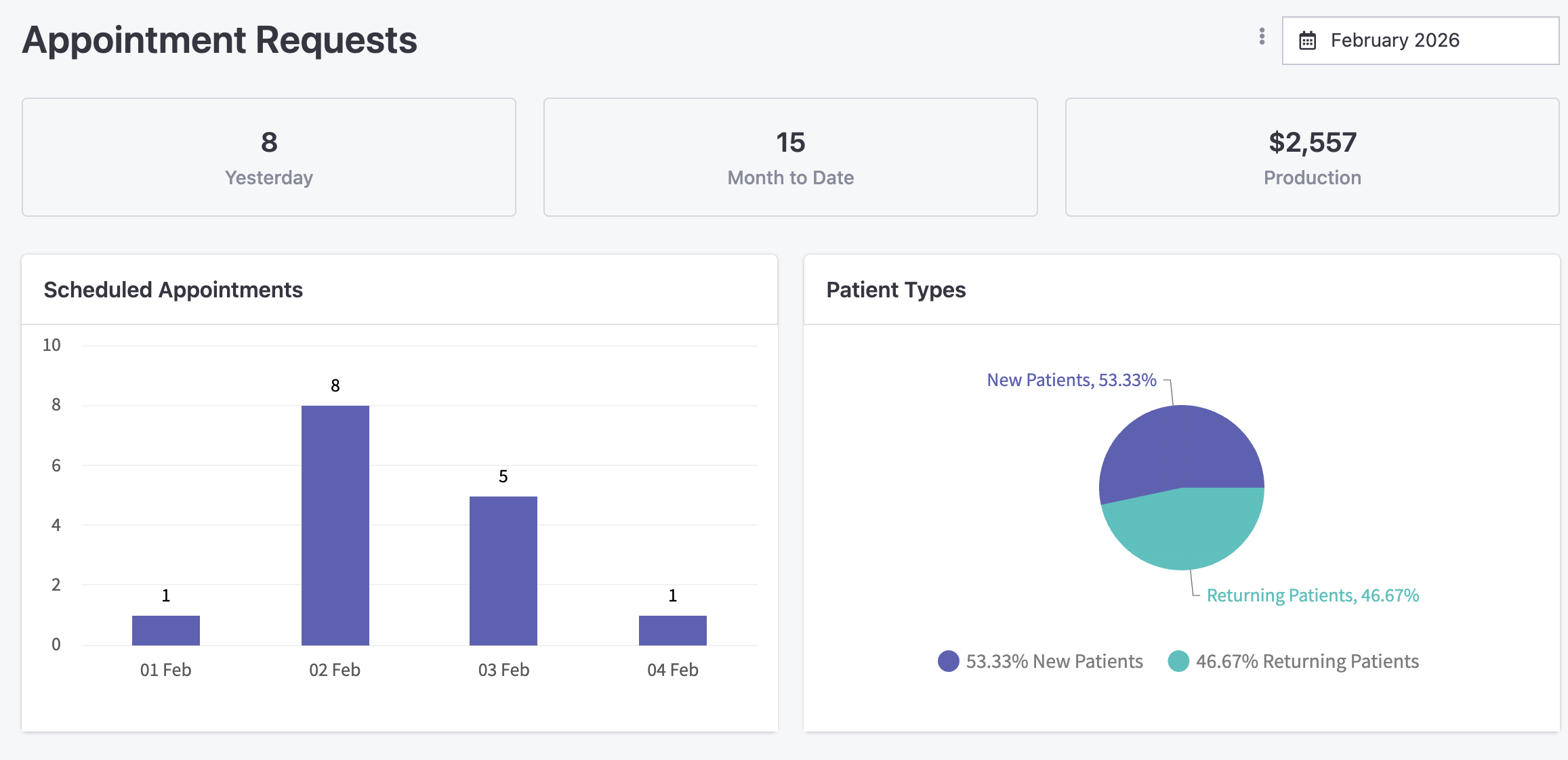
Booking Volume: Total appointments booked via the scheduler vs. manual entries.
New vs. Existing: See exactly how many brand-new patients are finding you through your online links.
Conversion Rate: If 100 people click the link and 20 book, you’ll see that 20% conversion rate—helping you tweak your marketing.
Source Tracking: Know exactly where your bookings are coming from. Was it the Facebook Ad? The Google Business Profile? Or your monthly newsletter?
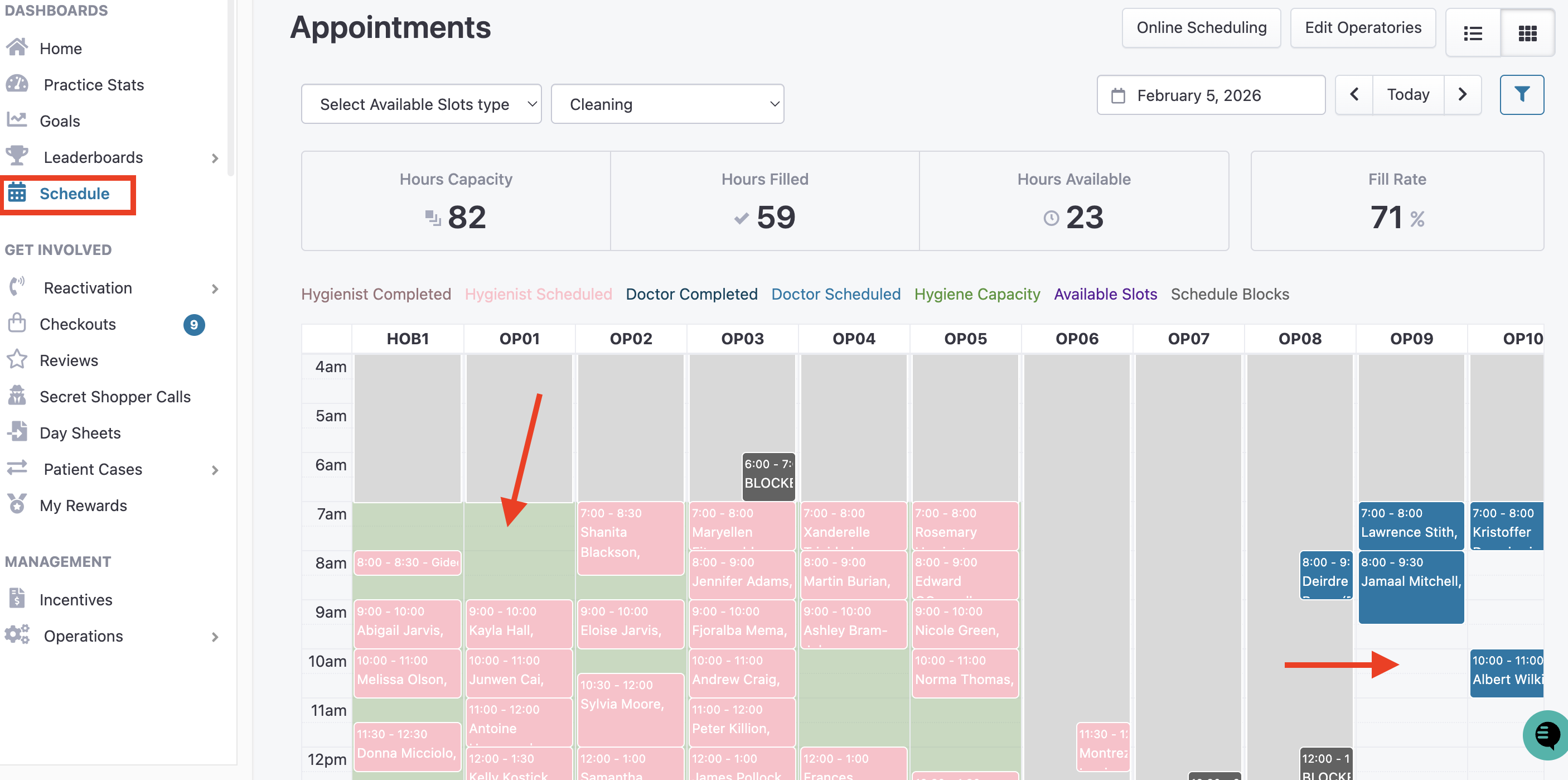
The schedule page: green shows online scheduler available appointments, the white shows the availability in your PMS.
Tracking of hours of capacity, hours that are filled, hours available and fill rate.
Why This Matters: Reporting allows Office Managers to prove the value of their marketing spend. If you see a spike in "Emergency" bookings from your website, you might decide to open up more emergency slots in your configuration to meet the demand.