Managing Third-Party External ID's
Last updated: May 21, 2026
Enterprise clients who integrate with TeamCare via API often maintain their own CRM or practice management systems with their own internal account IDs. The External IDs feature lets your consulting firm create a persistent mapping between a TeamCare client record and any external system identifier — so data can flow reliably in both directions.
Advisory firm only — this feature is visible to consulting firm users only. Practices do not see external IDs in their own TeamCare interface
What are External IDs?
An external ID is a title and value pair you attach to a TeamCare record (organization or provider) that corresponds to an ID in a third-party system. External IDs can be assigned at two levels:
Organization — maps the practice as a whole to an external account
Provider — maps individual doctors to separate external accounts (common in enterprise groups where each provider represents a distinct account in the external system)
Where to Find External IDs
Under the Client profile:
Select the "Enrollment" tab,
Select "Technology"
Click "External IDs".
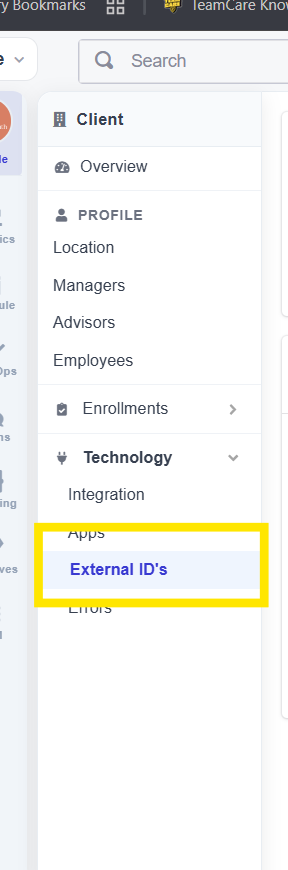 | 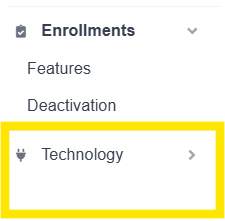 |
This opens the External Identifiers panel on the client record. If no IDs have been added yet, you'll see an empty state with two quick-start buttons.
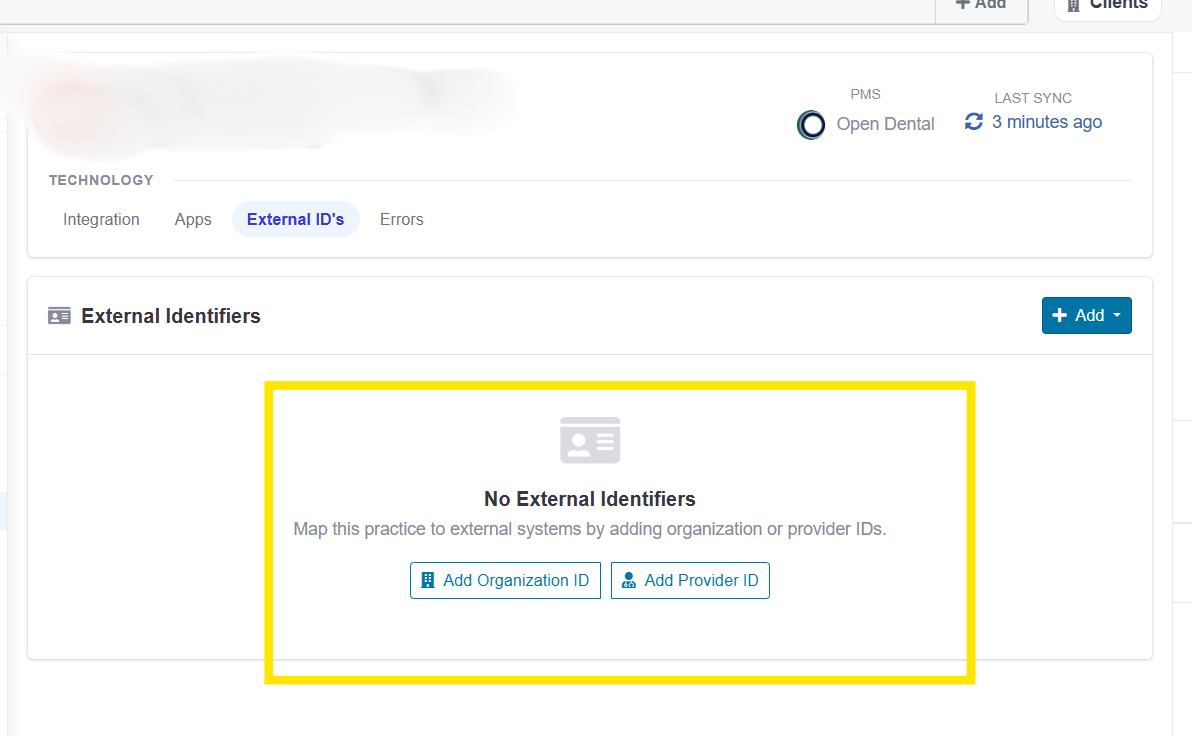
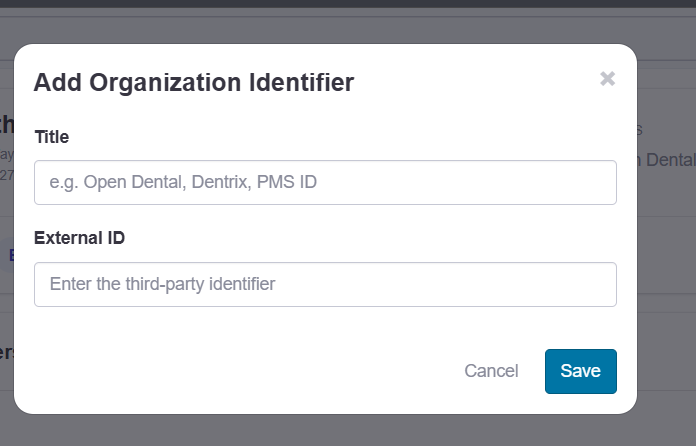
Adding an organization ID
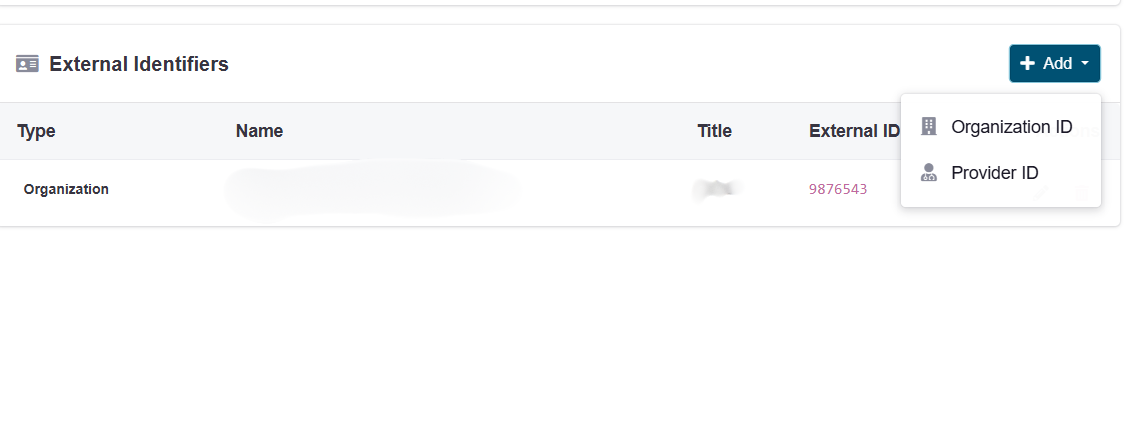
Click Add Organization ID (empty state) or + Add → Organization ID (top right dropdown).
In the Title field, enter the name of the external system
In the External ID field, enter the identifier from that system.
Click Save.
Adding a provider ID
Click + Add → Provider ID from the dropdown in the top right.
Select the provider from the Provider dropdown.
Enter a Title (the external system name) and the External ID value for that provider.
Click Save.
Repeat for each provider who needs a mapping.
Editing or removing an external ID
Saved external IDs appear in the External Identifiers table, showing the type (Organization or Provider), name, title, and external ID value. To update or remove an entry, locate it in the table and use the edit or delete controls on that row.