Open Dental Installation Guide
Last updated: March 25, 2026
How do I sync my OpenDental PMS to my TeamCare platform?
Follow these simple steps to sync your OpenDental system:
1. Log In and Navigate to Setup
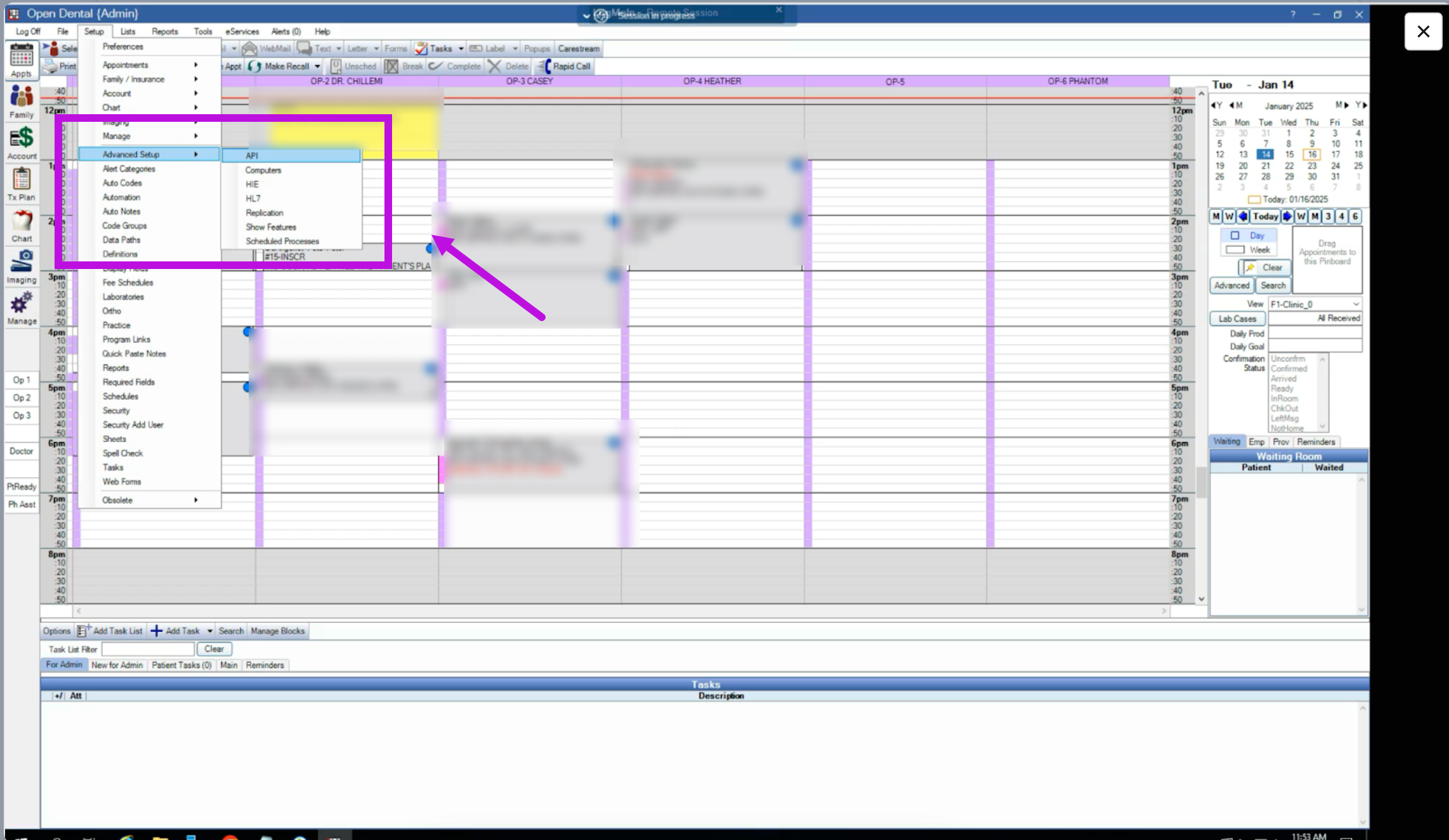
Once logged into your OpenDental account, click Setup from the menu in the top left corner.
Hover over Advanced Setup and select API from the dropdown.
2. Add Your API Key
In the API setup window, click the Add Key button located in the bottom left corner.

3. Copy Your TeamCare API Key
Return to your installation setup and copy the API key provided by TeamCare.
This key is unique to your practice and should not be shared with others.
4. Paste and Assign the API Key
Back in OpenDental, paste the API key into the Assign API Key field that appears.
Click OK then Save to finalize the setup.

That’s it—you’re all set! Your OpenDental PMs are now synced with TeamCare. For additional support, don’t hesitate to reach out to support@teamcaredental.com.