How to resend an invitation to a team member
Last updated: May 20, 2026
If a team member hasn't created their login yet after receiving an initial invitation, you can easily resend the invitation through the team management dashboard.
Steps to resend an invitation
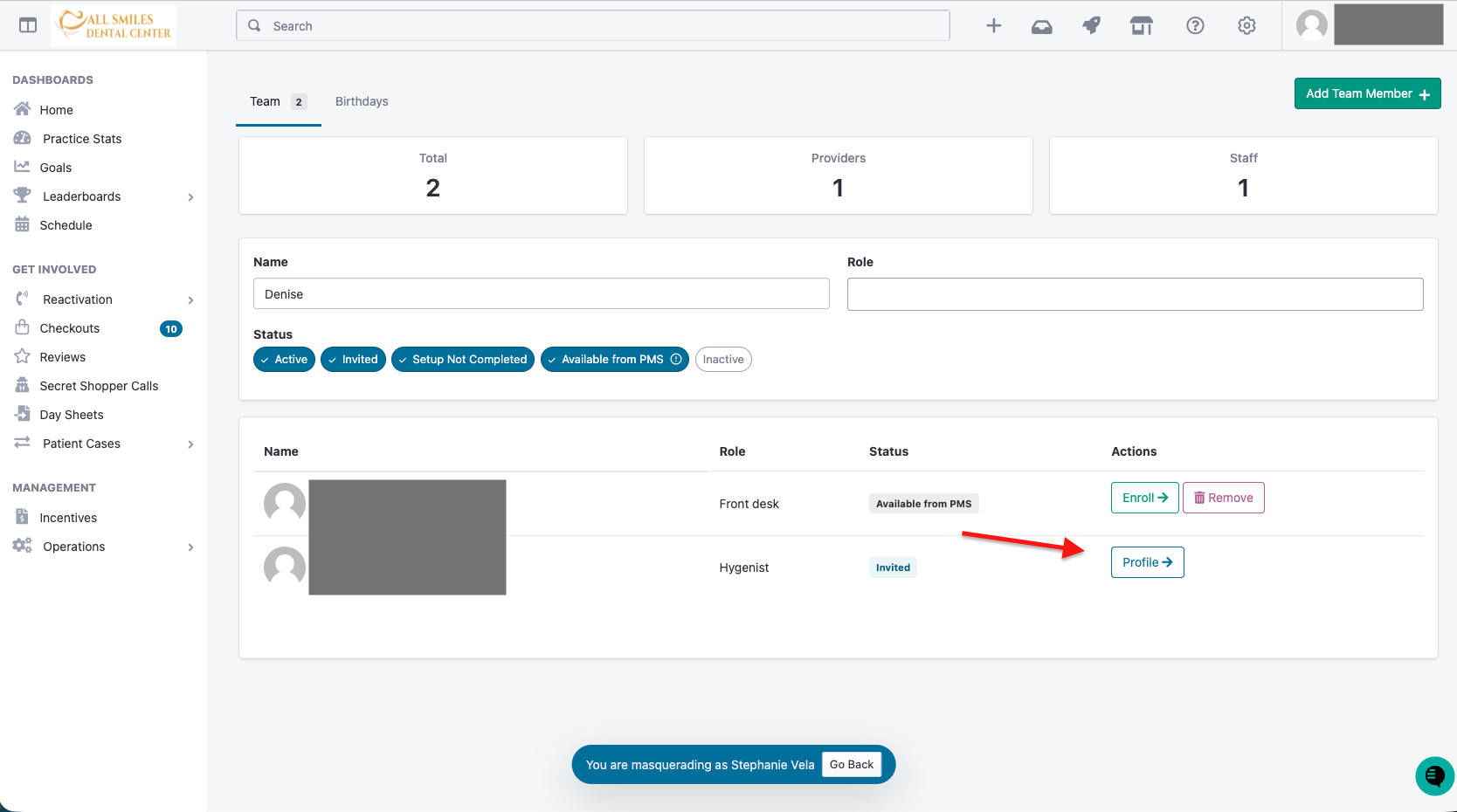
Navigate to your team management dashboard, where you can see a list of all team members
Locate the team member who needs a new invitation in the user list
Click the Profile button next to their name
In the user's profile page, look for the Invitation Pending panel
Click the Re-Send Invite button
The team member will receive a new invitation email with instructions to create their login and access the platform.
Pro Tip: check to make sure the email you are sending it to is correct .
Make sure the person recieving it checks there Junk folder
What if you're not seeing this message?
Password reset
If you do not see this screen, it is likely that you already have an account and have logged in. In that case, please proceed with a password reset to regain access.
A direct link to reset password is listed here: Reset Password Link