Managing Agency Relationships in Your Account
Last updated: October 30, 2025
If you need to share your company’s data with another firm (such as a marketing agency or partner), you can easily do this through your account settings. This feature allows other approved firms to view and access specific information securely.
How to Add a New Agency Relationship
From your main dashboard, navigate to Manage Office → Company Settings.
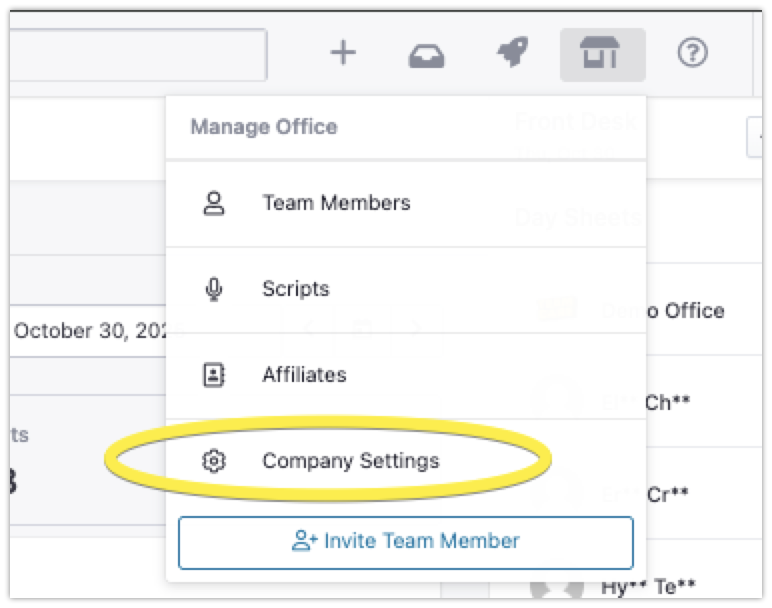
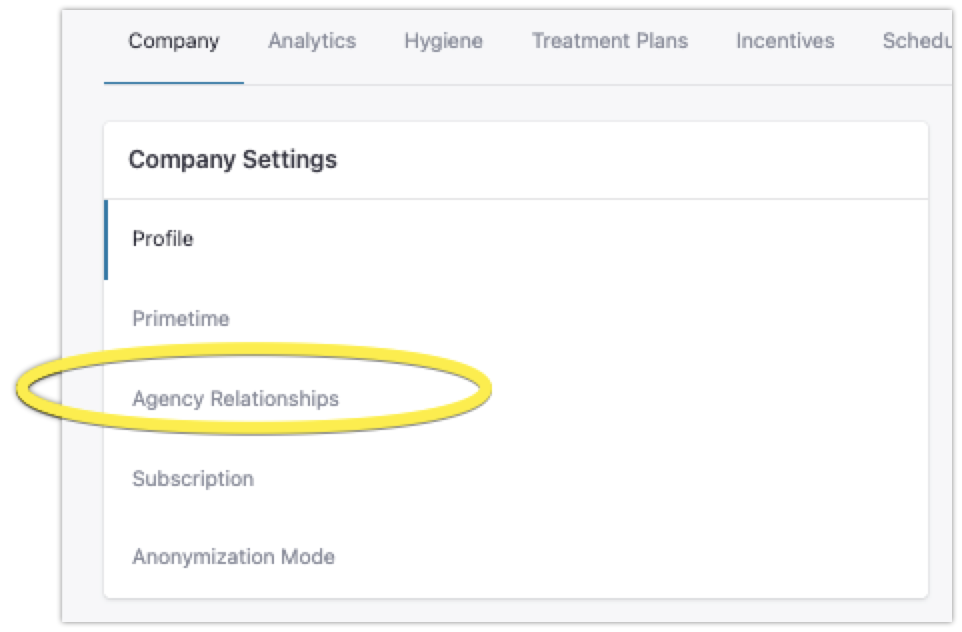
In the Company Settings menu, select the Agency Relationships tab.
Click New Relationship and search for the name of the agency you’d like to connect with.

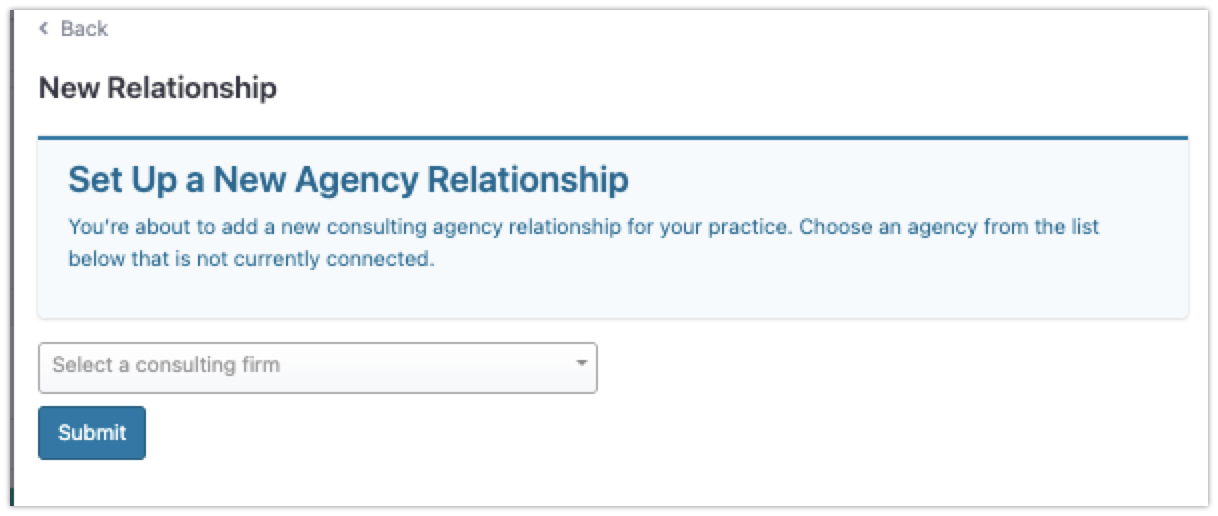
Once added, you’ll see the new agency listed under Active Relationships. Both your company and the agency will now have access to the shared data as configured.
Notes and Troubleshooting
You may notice minor redirect issues when setting up or viewing relationships. These do not affect functionality but can be smoothed out in future updates.
Agencies can manage their own connections using the same steps.
Ensure you only grant access to trusted partners — this setting allows them to view and work with your shared data.