Understanding Patient Dashboards
Last updated: October 20, 2025
TeamCare’s Patient Dashboards help your practice understand patient behavior, appointment trends, and hygiene performance at a glance. These dashboards provide the insights you need to improve scheduling, optimize hygiene capacity, and strengthen patient retention and reactivation.
You can access all patient-related dashboards under the Patients tab on your Dashboard Home.
Overview of Patient Dashboards
The Patient Dashboards are divided into two main sections:
Hygiene Dashboards – Focused on hygiene performance, patient scheduling, and reactivation efforts.
Activity Dashboards – Focused on new patient growth, exam tracking, and overall scheduling trends.
Each dashboard offers filtering options by provider, date range, and appointment type, giving your practice complete flexibility in analyzing performance and identifying opportunities for improvement.
Hygiene Dashboards
Under the Patients → Hygiene section, you’ll find six specialized dashboards that provide insights into patient hygiene performance and staff productivity.
1. Dashboard (General Overview)
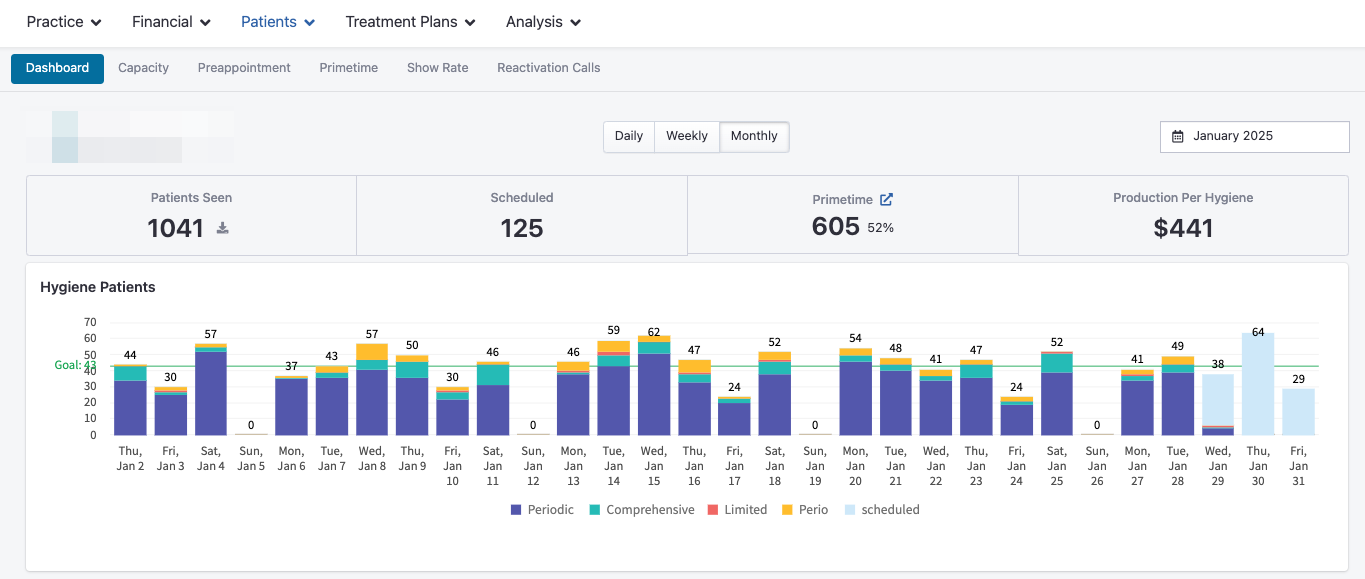
This dashboard offers a high-level summary of hygiene performance, including:
Number of patients seen and scheduled
Hygiene production and goals
Appointment type breakdowns
Insurance carrier distribution
Day and time clustering to identify peak appointment times
Team leaderboard for hygiene performance
By default, the dashboard displays data for the current month, allowing you to track ongoing progress against goals.
2. Capacity Dashboard
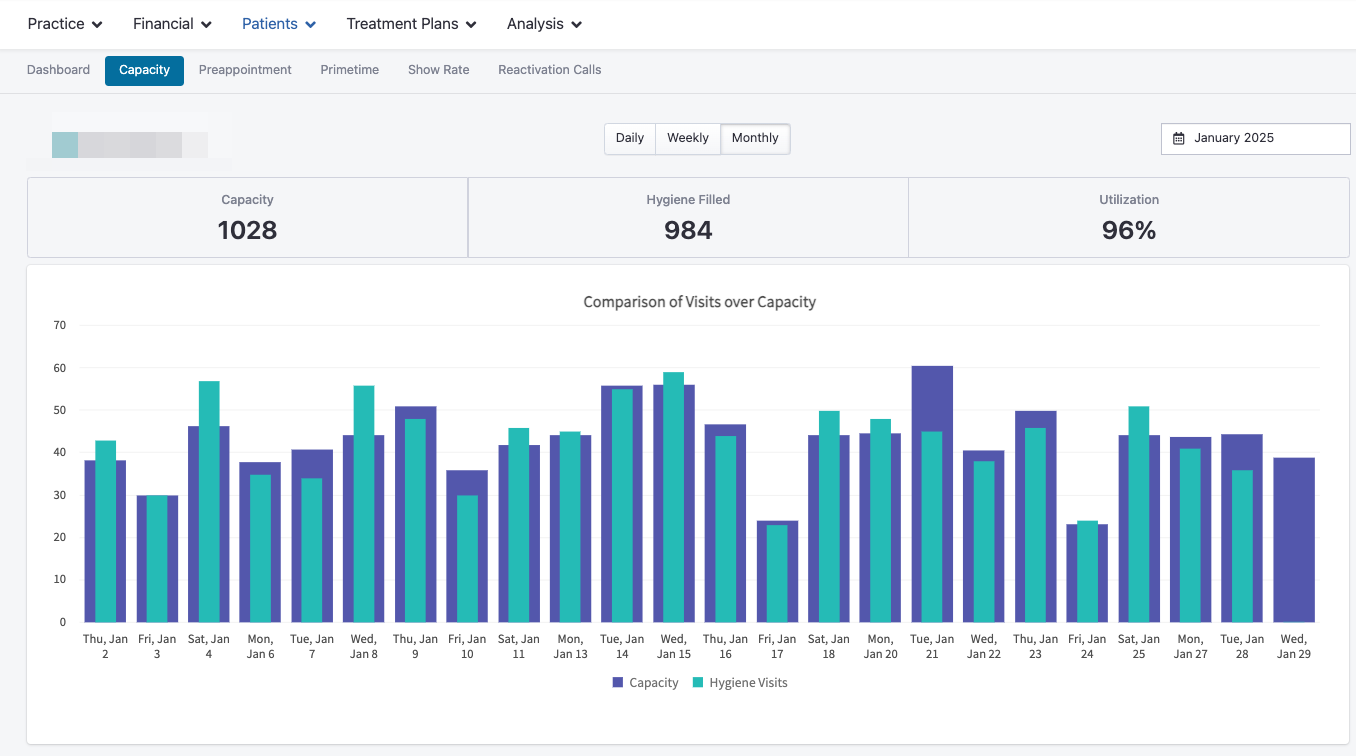
The Capacity Dashboard shows how effectively your hygiene schedule is being utilized. Key metrics include:
Capacity numbers – Available hygiene hours vs. filled hours
Utilization percentage – How efficiently your schedule is being used
Hygiene filled – Number of completed hygiene appointments
Capacity heatmap – Visual representation of scheduling gaps or overloads
Primetime vs. Standard Appointments – Compare appointment types based on time of day
This dashboard helps you understand scheduling efficiency and optimize your team’s time for maximum output.
3. Preappointment Dashboard
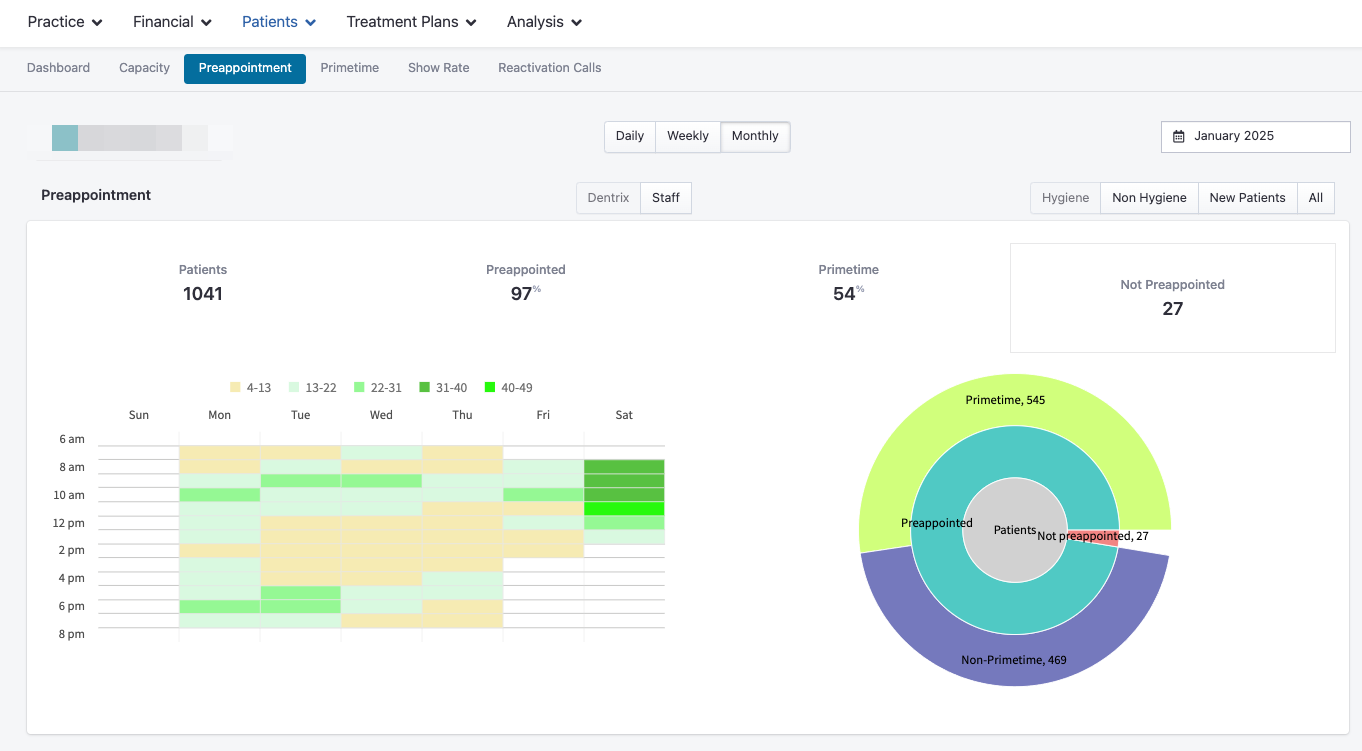
The Preappointment Dashboard tracks how effectively patients are being prebooked for their next hygiene visit.
You can filter this dashboard by:
Hygiene or non-hygiene appointments
Individual staff members
Date range
Use this view to identify staff performance in scheduling follow-up visits and improving patient retention.
Read more about utilizing Preappointment data here!
4. Primetime Dashboard
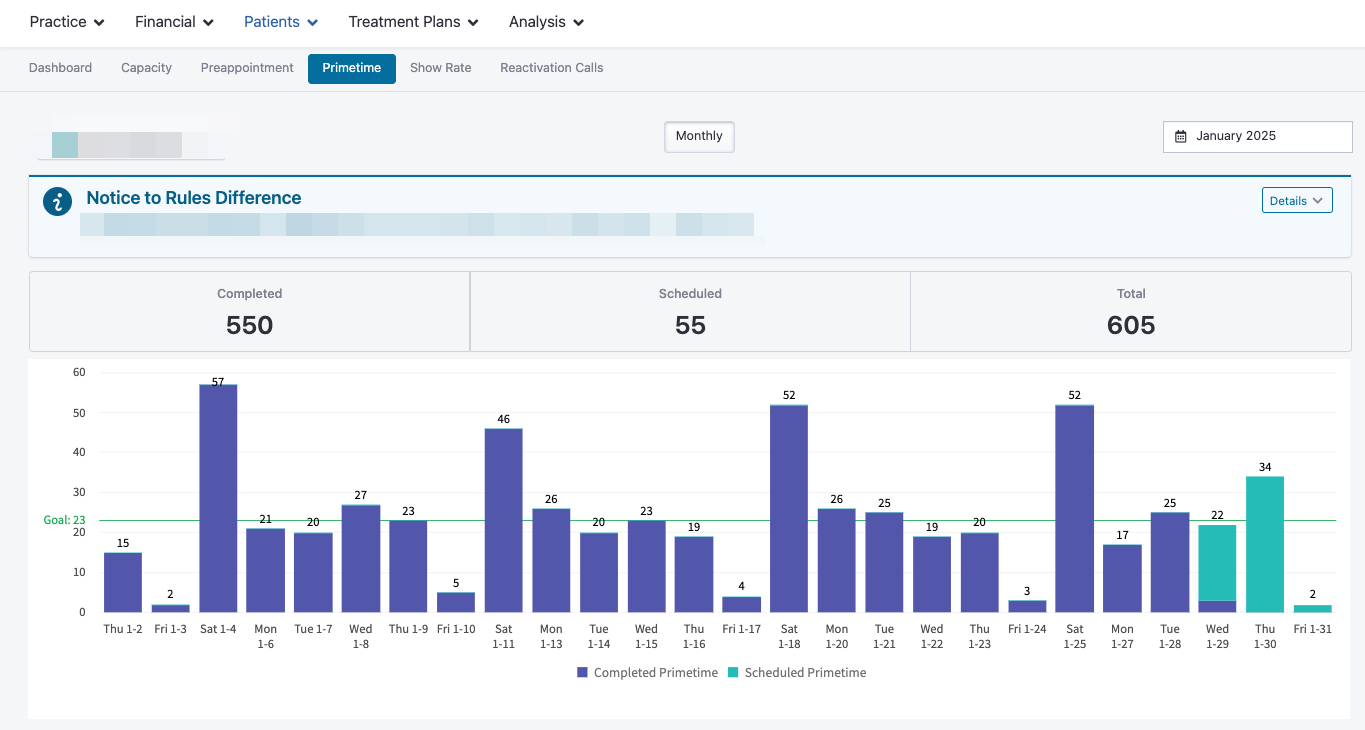
The Primetime Dashboard measures how well your practice is utilizing “prime” scheduling hours—typically mornings, evenings, or weekends when patients prefer to visit.
You can view:
Number of patients booked during primetime
Completed appointments within primetime hours
Rolling averages and progress over time
💡 Why it matters: Patients are more likely to cancel when they must take time off work. Maximizing primetime availability helps reduce cancellations and improve show rates.
5. Show Rate Dashboard
The Show Rate Dashboard gives visibility into patient attendance patterns. It shows:
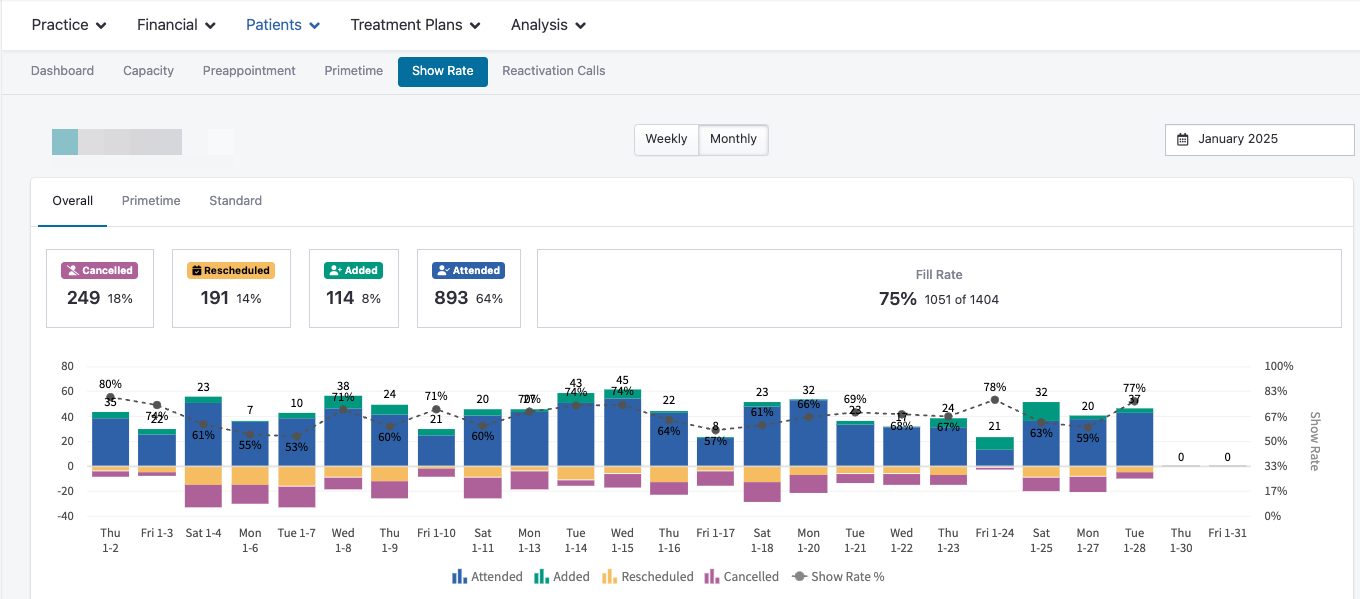
Number of appointments attended, cancelled, added, or rescheduled
Daily, weekly, or monthly breakdowns
Trends highlighting when cancellations or reschedules are most common
This helps identify problem times and guide scheduling strategies to improve consistency and attendance.
6. Reactivation Calls Dashboard
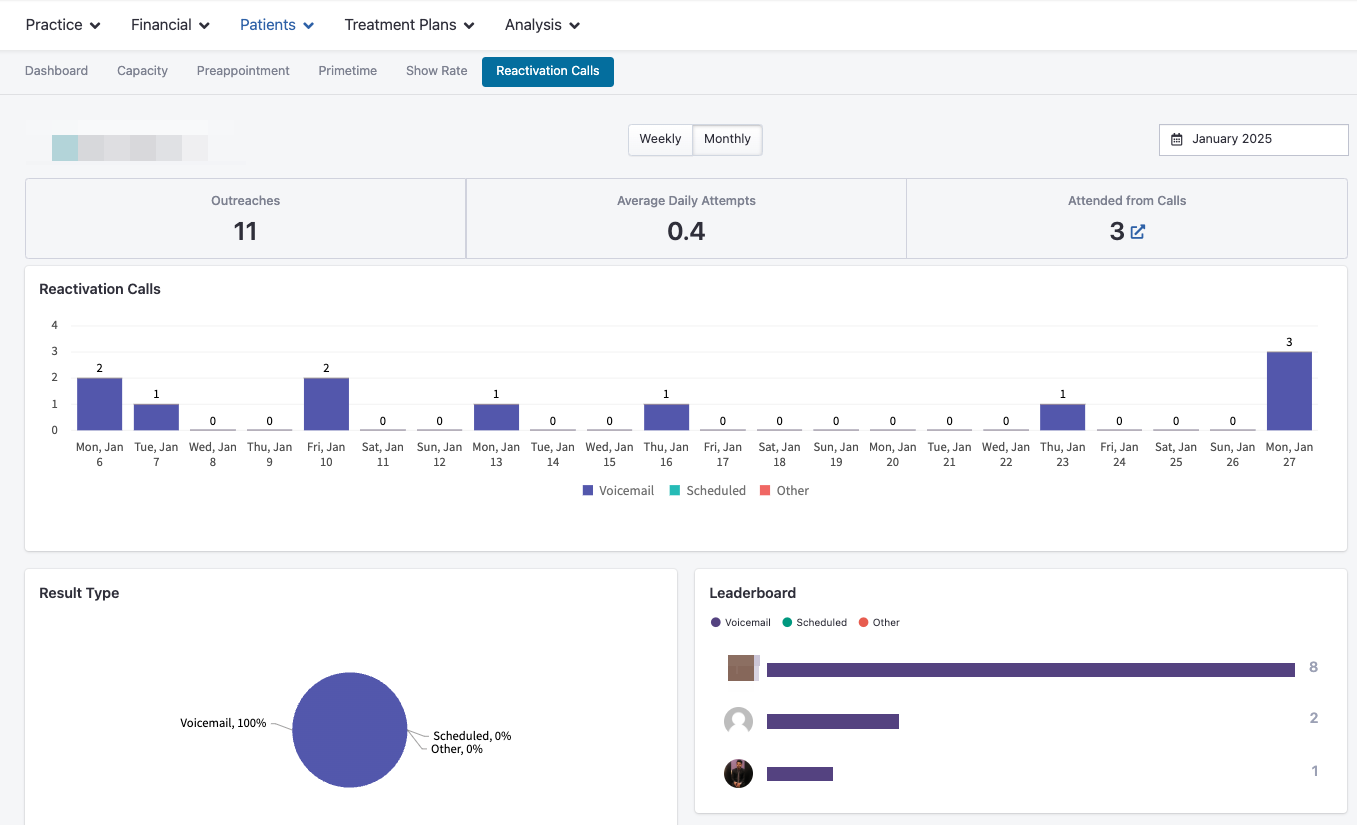
The Reactivation Calls Dashboard tracks outreach and conversion performance for reactivating patients.
You’ll see:
Number of outreach attempts
Daily calls made
Appointments scheduled and attended as a result of reactivation calls
Outcome breakdowns (e.g., scheduled, left voicemail, not reached)
Team leaderboard showing reactivation performance
Use this dashboard to motivate your team and track progress toward re-engaging inactive patients.
Activity Dashboards
Under the Patients → Activity section, you’ll find dashboards that highlight patient flow and engagement across key operational metrics.
1. New Patients Dashboard
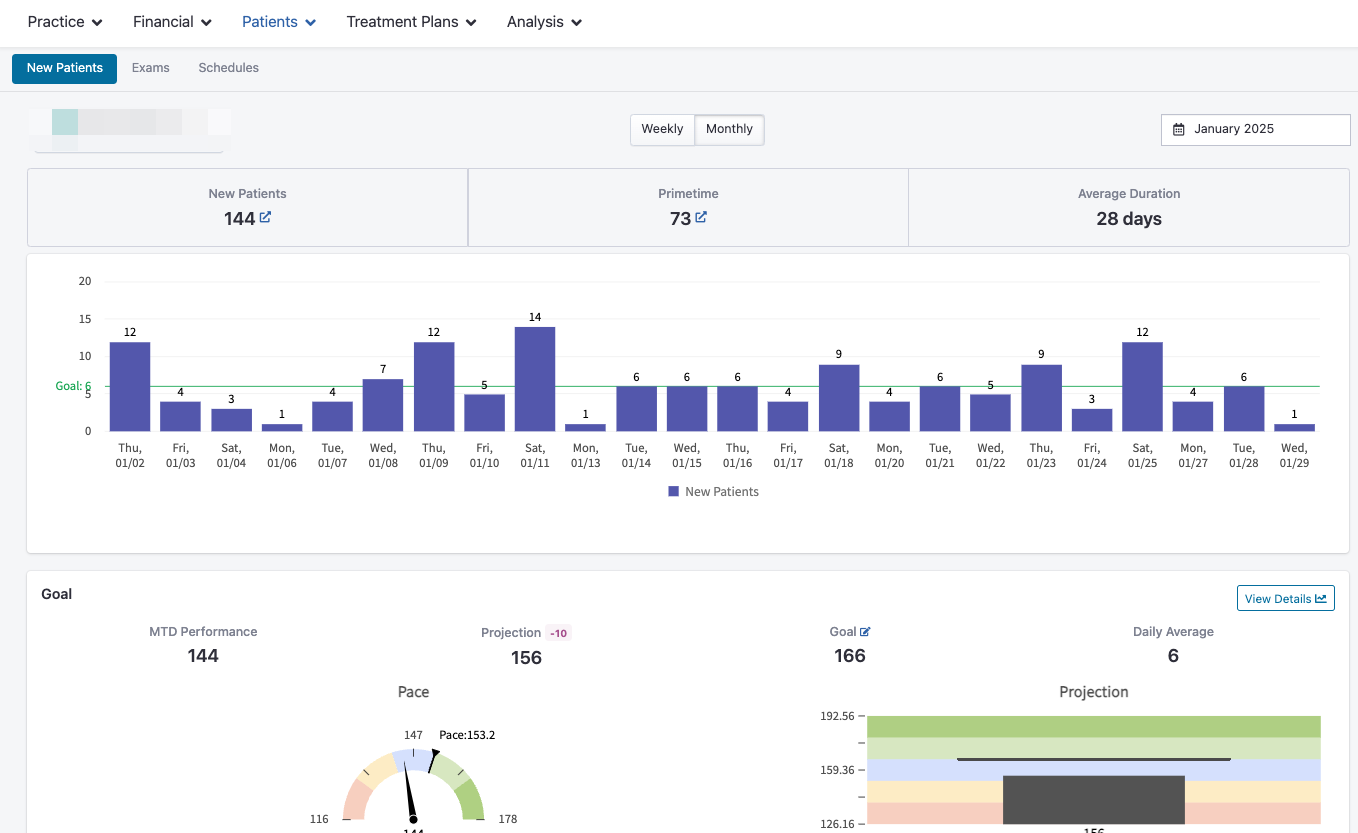
This dashboard provides insights into new patient acquisition and trends, including:
Number of new patients for any selected date range
Percentage of new patients booked during primetime hours
Average time patients remain “new” before transitioning to recurring care
New patient goals and how your practice is performing against them
Appointment type and time clustering patterns
These insights help practices track marketing effectiveness, identify conversion bottlenecks, and understand new patient behavior.
2. Exams Dashboard
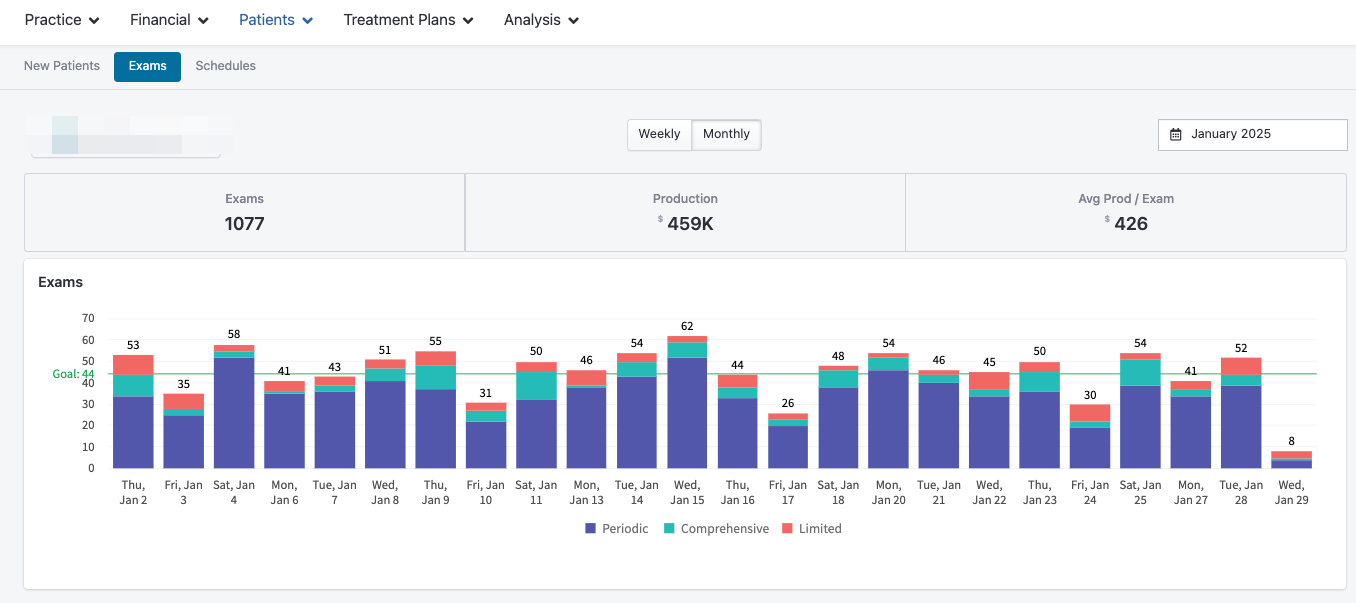
The Exams Dashboard tracks how many exams have been completed within any time frame and how those exams correlate with production.
You can view:
Total number of exams completed
Month-to-date performance and projections
Daily averages and exam trends
Breakdown of exams by provider
This dashboard provides an easy way to monitor exam volume and its impact on revenue.
3. Schedules Dashboard
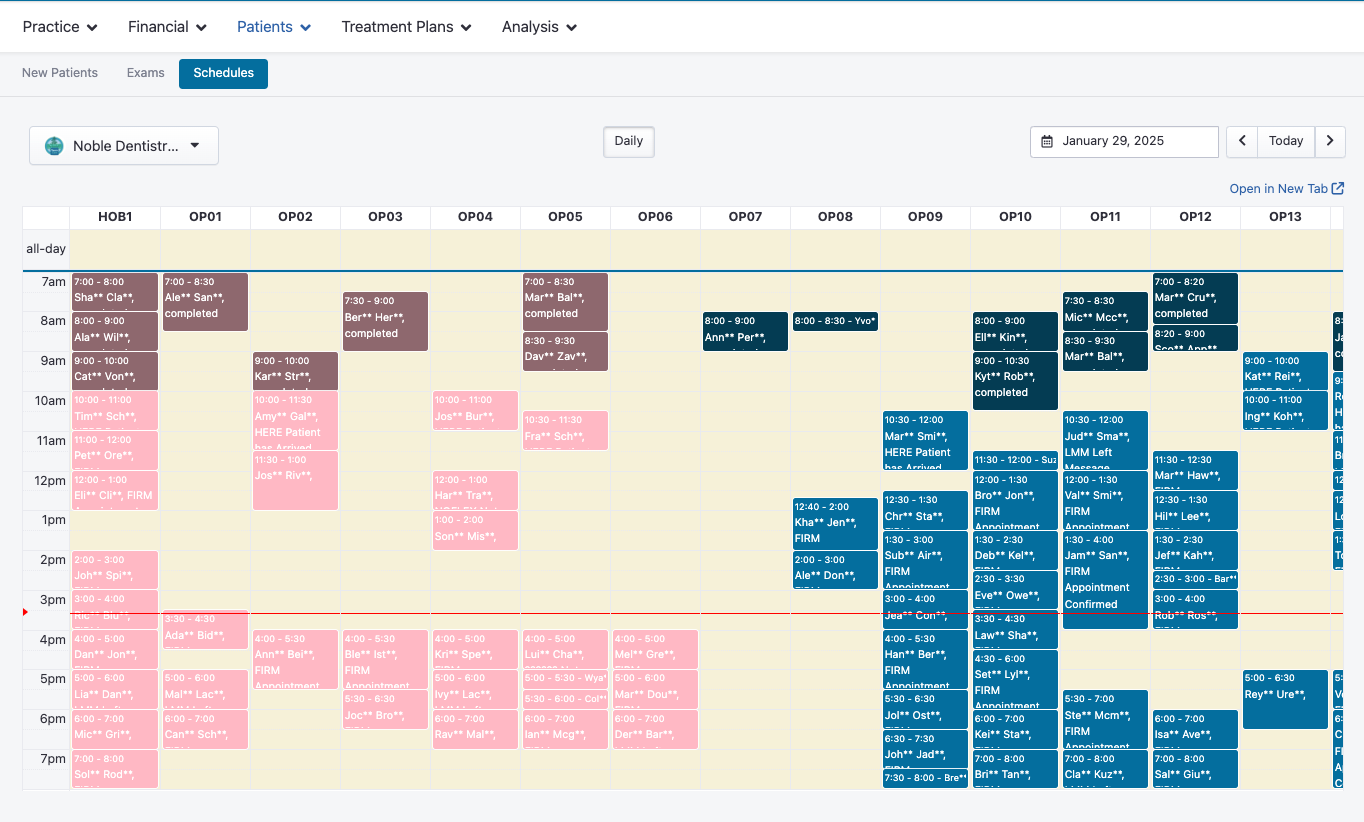
The Schedules Dashboard gives a clear overview of upcoming appointments on a daily basis.
You can view:
Total scheduled appointments by day
Distribution by provider or appointment type
Appointment density trends to identify peak days and scheduling gaps
This dashboard is especially helpful for identifying underbooked days and optimizing scheduling efficiency.
Bringing It All Together
TeamCare’s Patient Dashboards give your practice powerful visibility into patient behavior, hygiene performance, and appointment activity.
By regularly reviewing these dashboards, you can:
Improve hygiene utilization and preappointments
Reduce cancellations and no-shows
Strengthen patient retention and reactivation efforts
Identify growth opportunities through patient trends
Together, these insights help your practice deliver better experiences and achieve consistent, predictable growth.