Understanding Data Search Dashboards
Last updated: May 28, 2026
Analysis and Data Search in TeamCare
TeamCare offers powerful tools for searching, analyzing, and reporting on your practice data. Within the Analysis Tab on your Dashboard Home, you can explore your data through Data Search, Reports, and Patient Value dashboards. These tools provide insight into appointments, procedures, financials, hygiene reactivations, emails, and patient activity.
1. Data Search
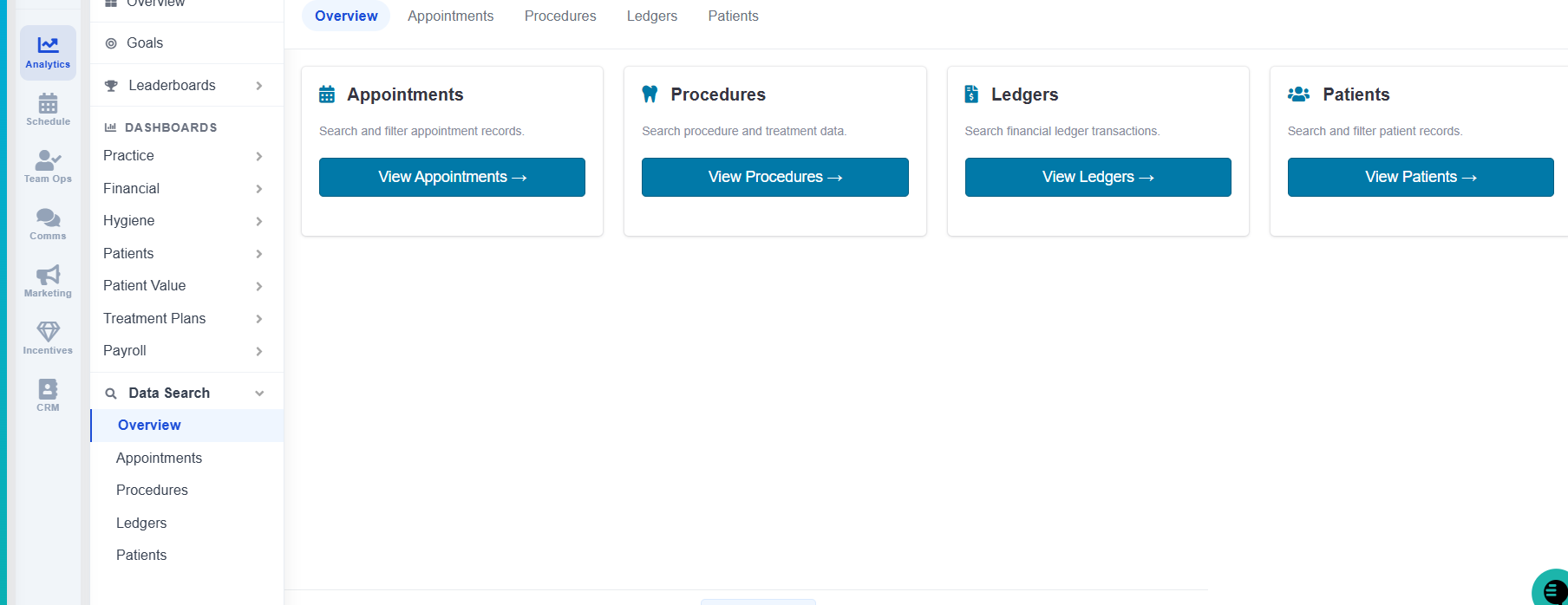
The Data Search section lets you quickly locate and filter specific information across your practice. You can export or download the results for further analysis. Key categories include:
Appointments
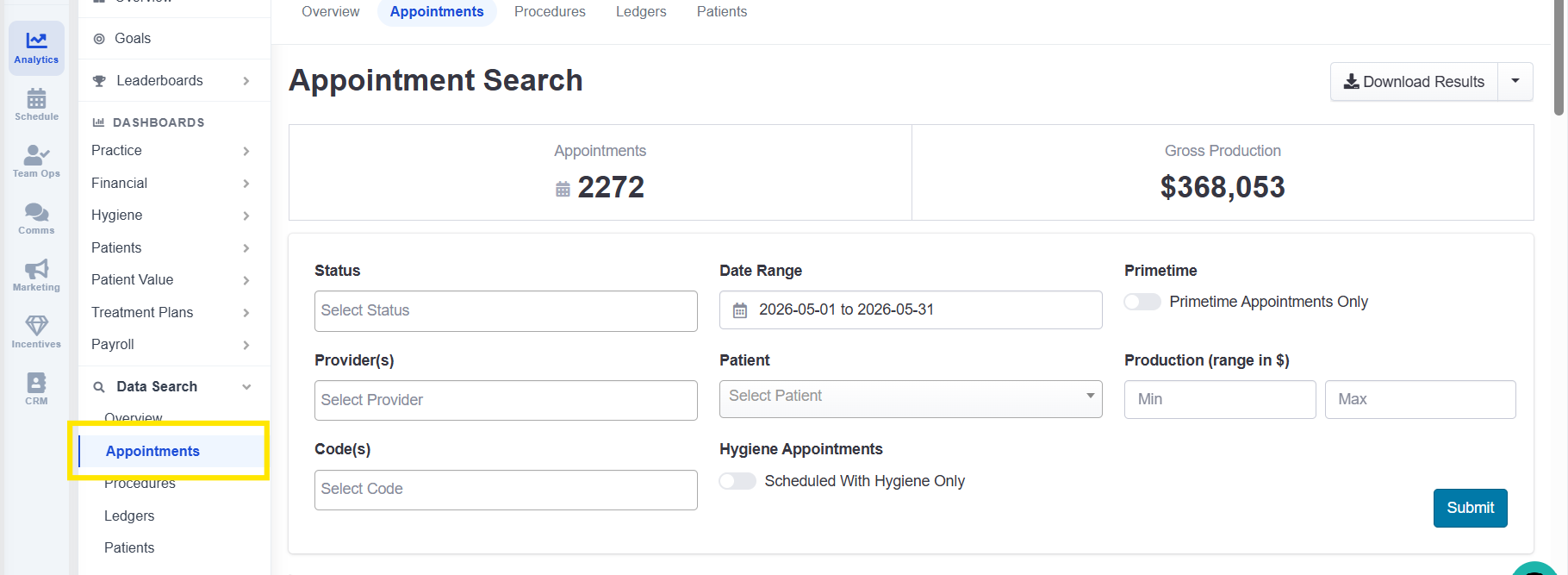
Search by status, date range, patient name, and more.
Pull up individual appointments or lists for export.
Procedures
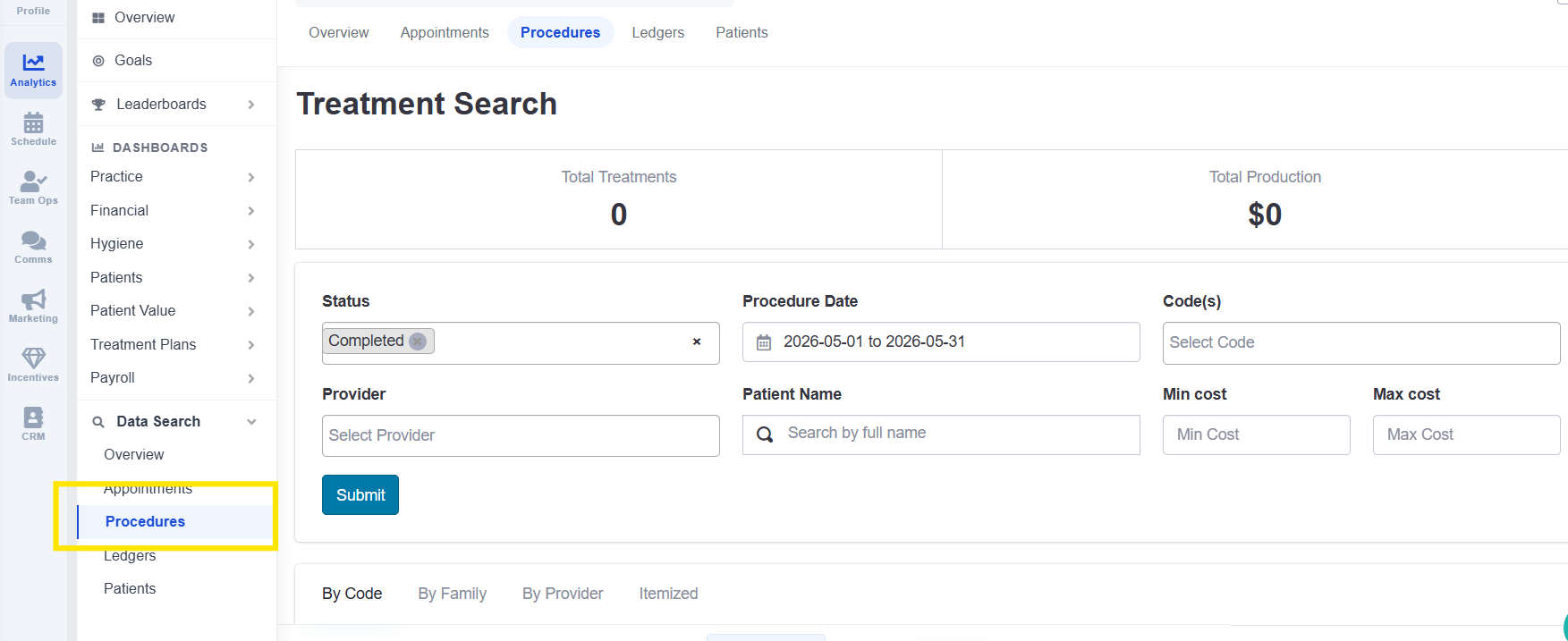
Filter by provider, code, procedure family, or cost.
Generate itemized reports for any date range.
Ledgers
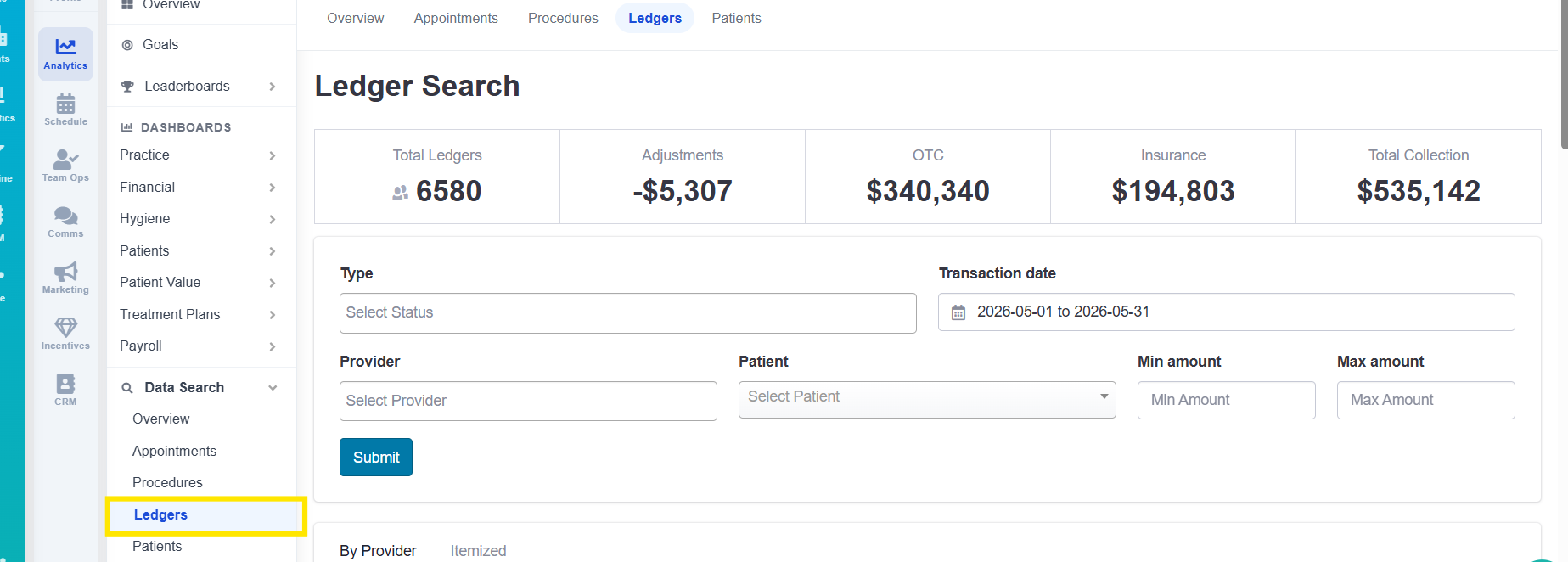
Search by type, provider, patient, or date.
View patient name, amount, provider, and transaction details.
Patients
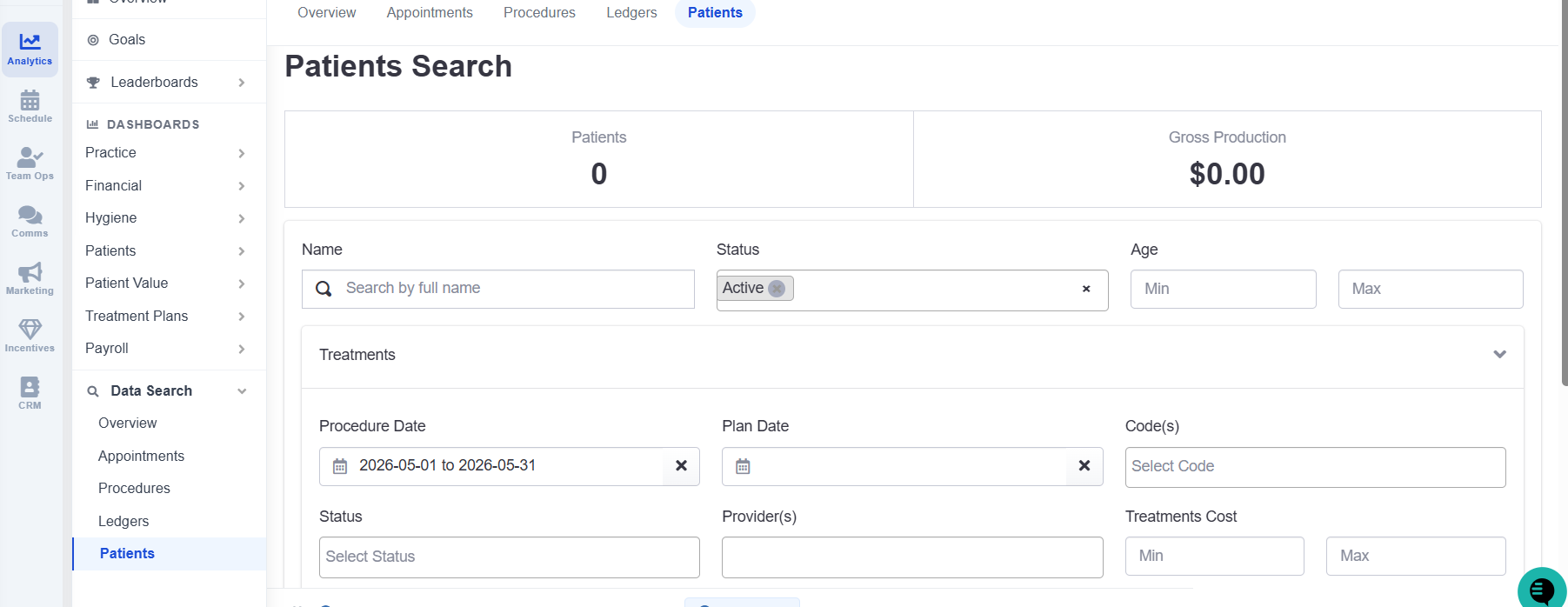
Filter by name, status, age, treatments, or insurance.
Focus on specific groups, like primetime appointments or unscheduled patients.
2. Analysis Reports
The Reports section provides detailed insights into your practice’s performance.
Analysis Report
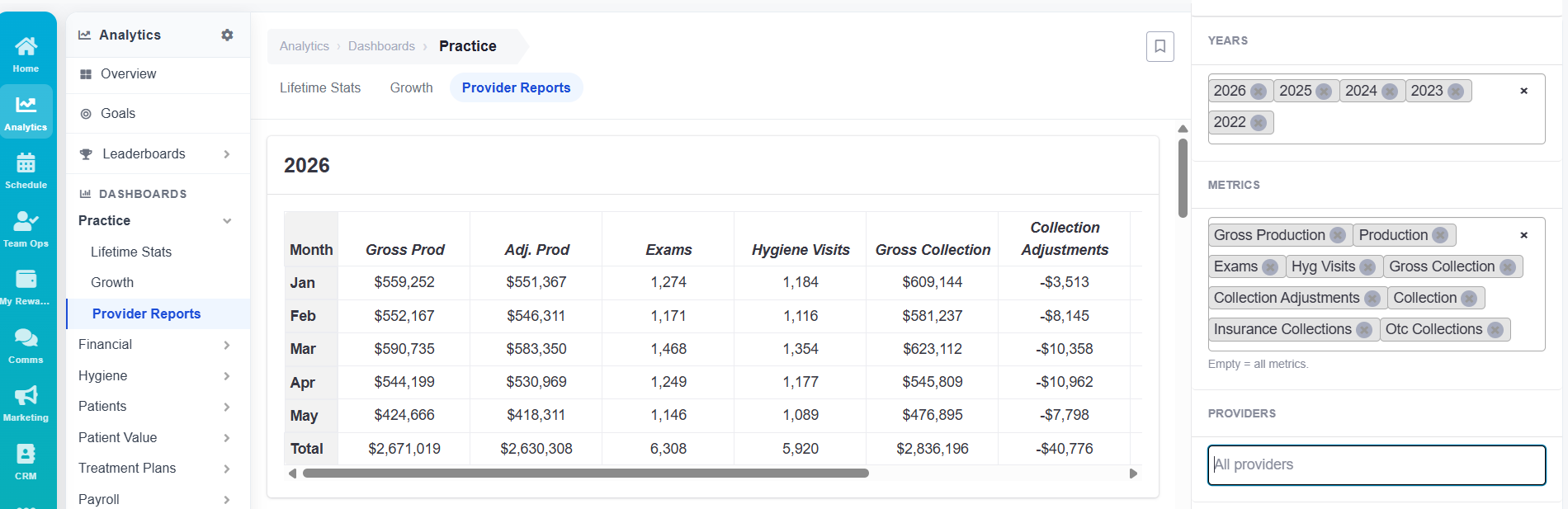
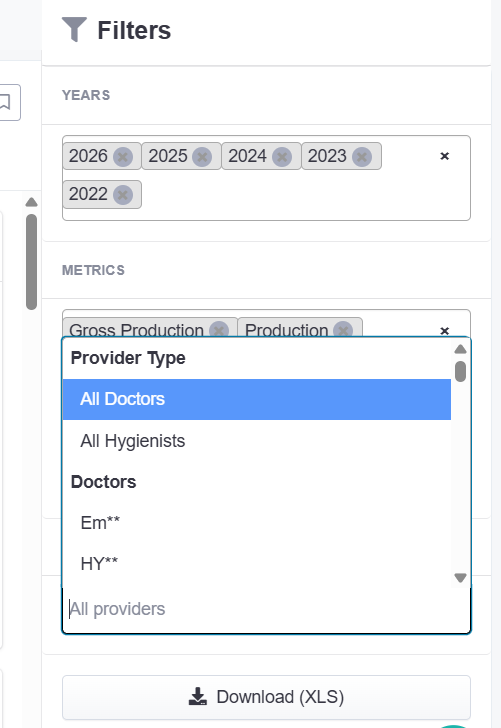
Comprehensive breakdown of production, insurance collection, and more.
Filter by practice, doctor, or hygiene, then export data as needed.
Accounts Receivable Report
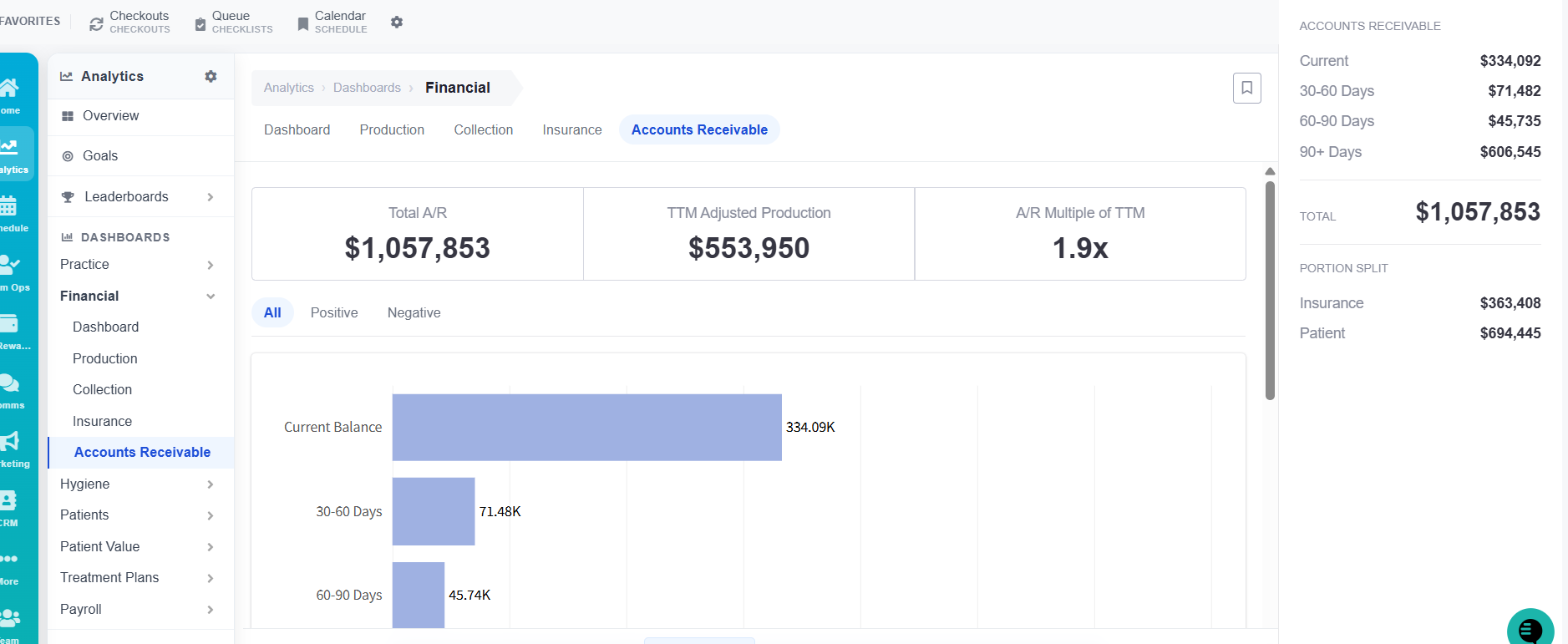
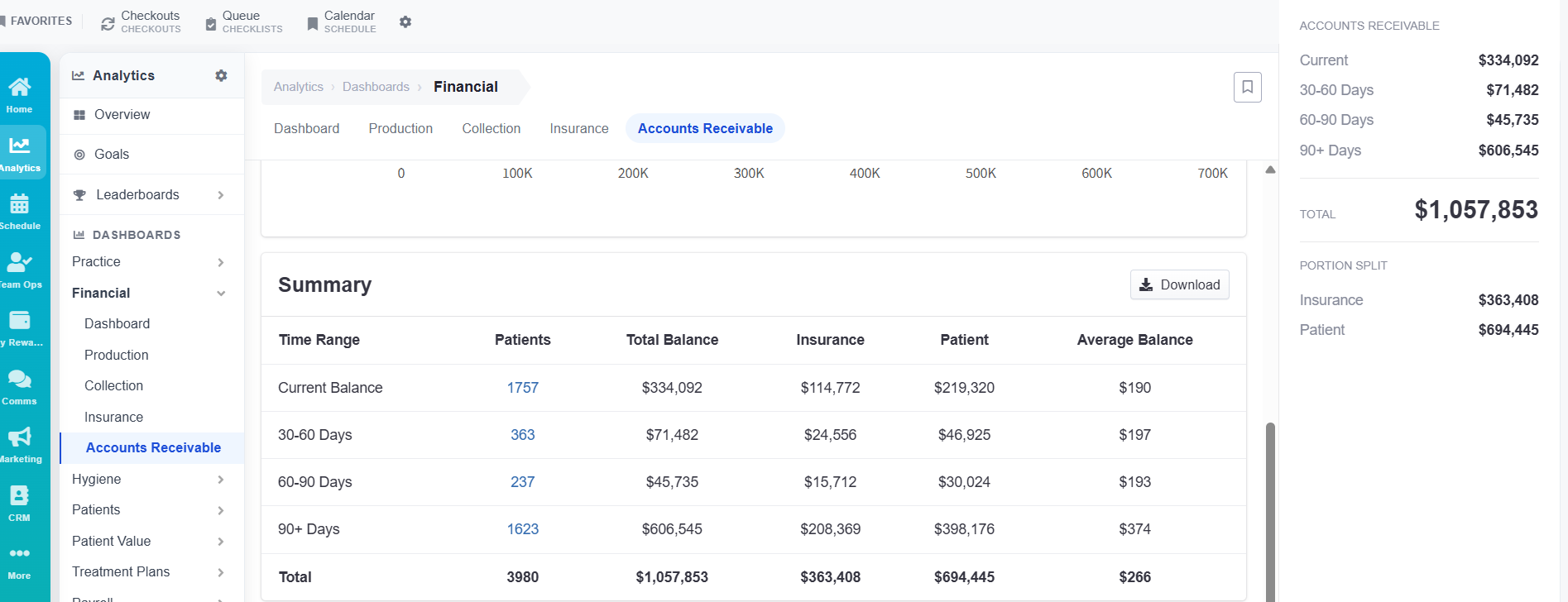
Displays current balances, date ranges, and totals.
Includes detailed information on patient counts and balances.
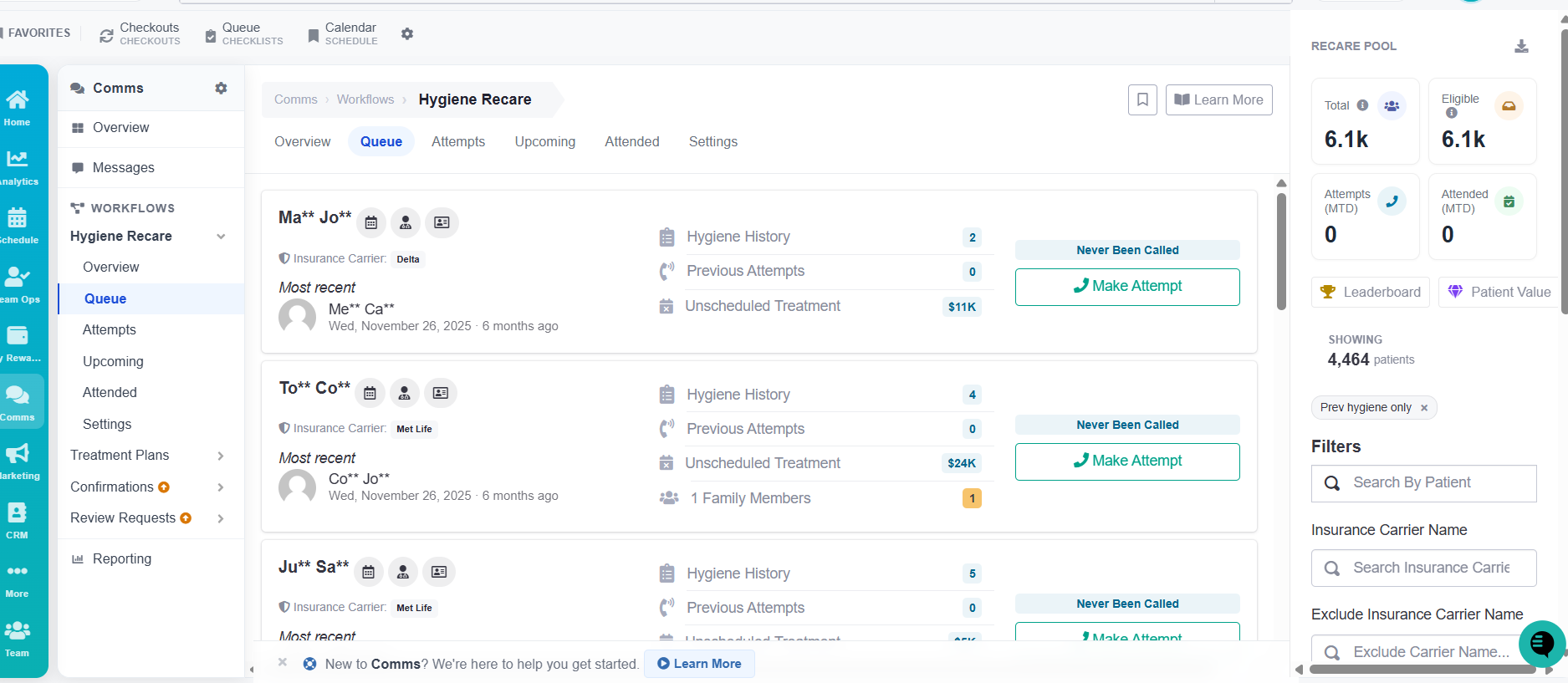
Hygiene Reactivations Dashboard
Overview of hygiene reactivation activity.
Tracks patient outreach attempts and helps teams follow up to reschedule appointments.
Emails Dashboard
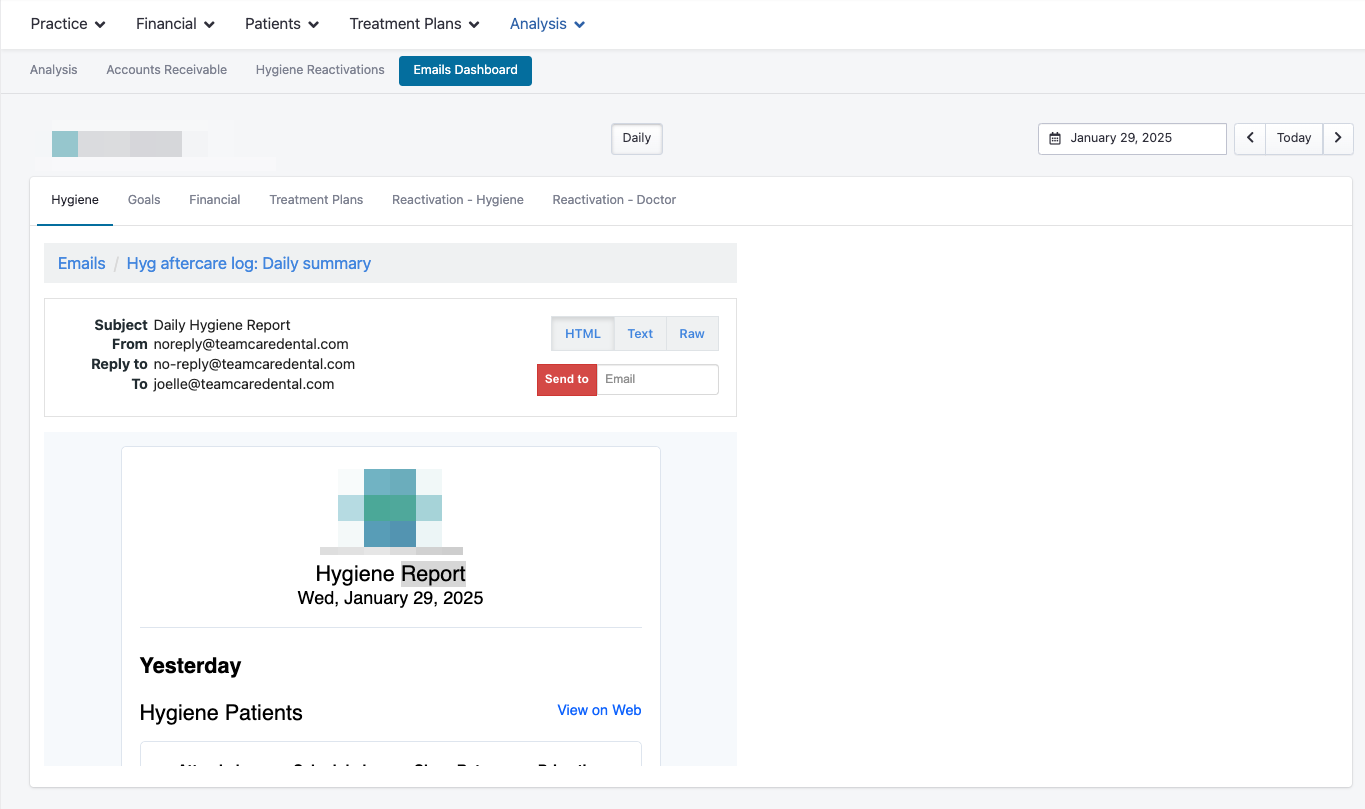
Access reports for emails sent via TeamCare, including:
Hygiene
Goals
Financial
Treatment Plans
Reactivation (Hygiene & Doctor)
3. Patient Value Dashboards
These dashboards track the contribution and activity of your patients over time.
New Patient Dashboard
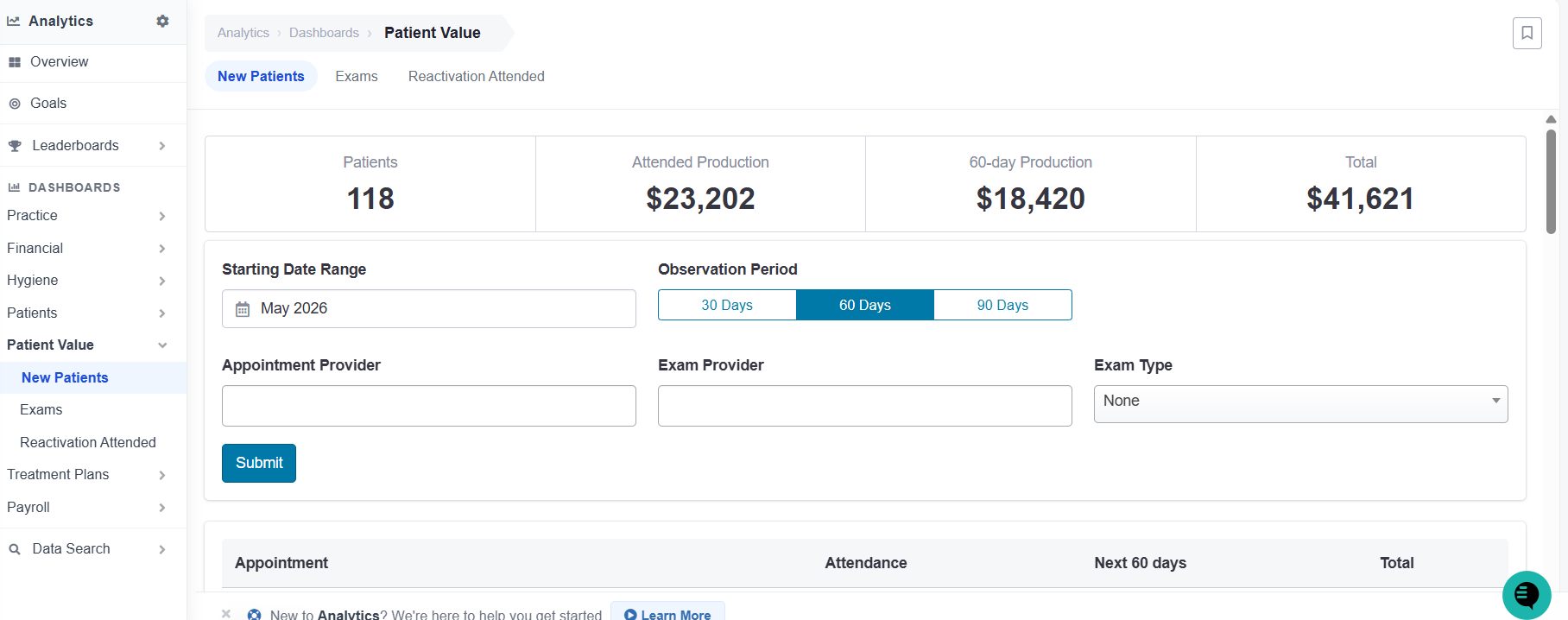
Shows new patient details for a selected period.
Includes number of patients, attended production, total production, and a table view of individual appointments.
Reactivation Attended Dashboard
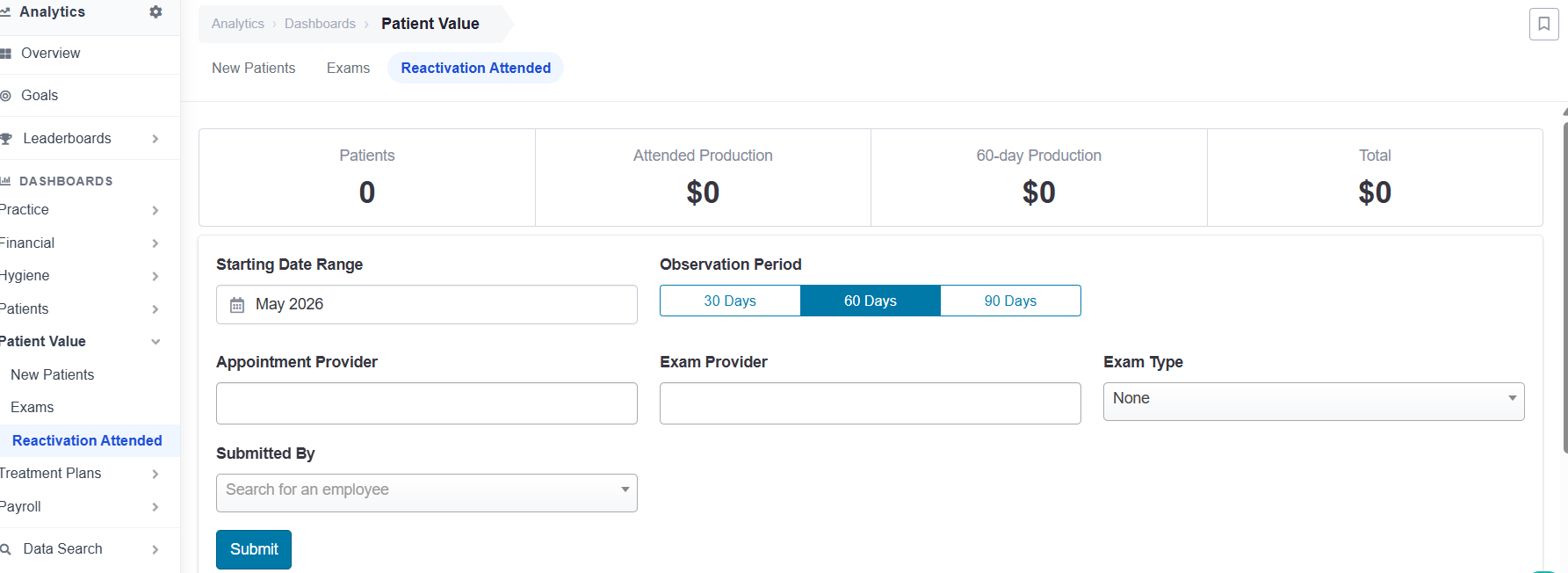
Tracks patients who were reactivated through outreach and have since attended appointments.
Filter by date range to evaluate reactivation success and follow-up effectiveness.
In short:
TeamCare’s Analysis and Data Search tools give your practice full visibility into operational, financial, and patient data. By leveraging these dashboards, you can monitor performance, identify trends, optimize workflows, and make data-driven decisions to improve patient care and practice efficiency.