How to customize dashboards with specific Treatment Codes
Last updated: March 4, 2026
To ensure your dashboards reflect the specific nuances of your practice—whether you're navigating U.S. vs. Canadian billing rules or simply have unique office preferences—you can fully customize which treatment codes populate your metrics.
📍 Where to find it
Navigate to Settings > Analytics > Treatment Codes.
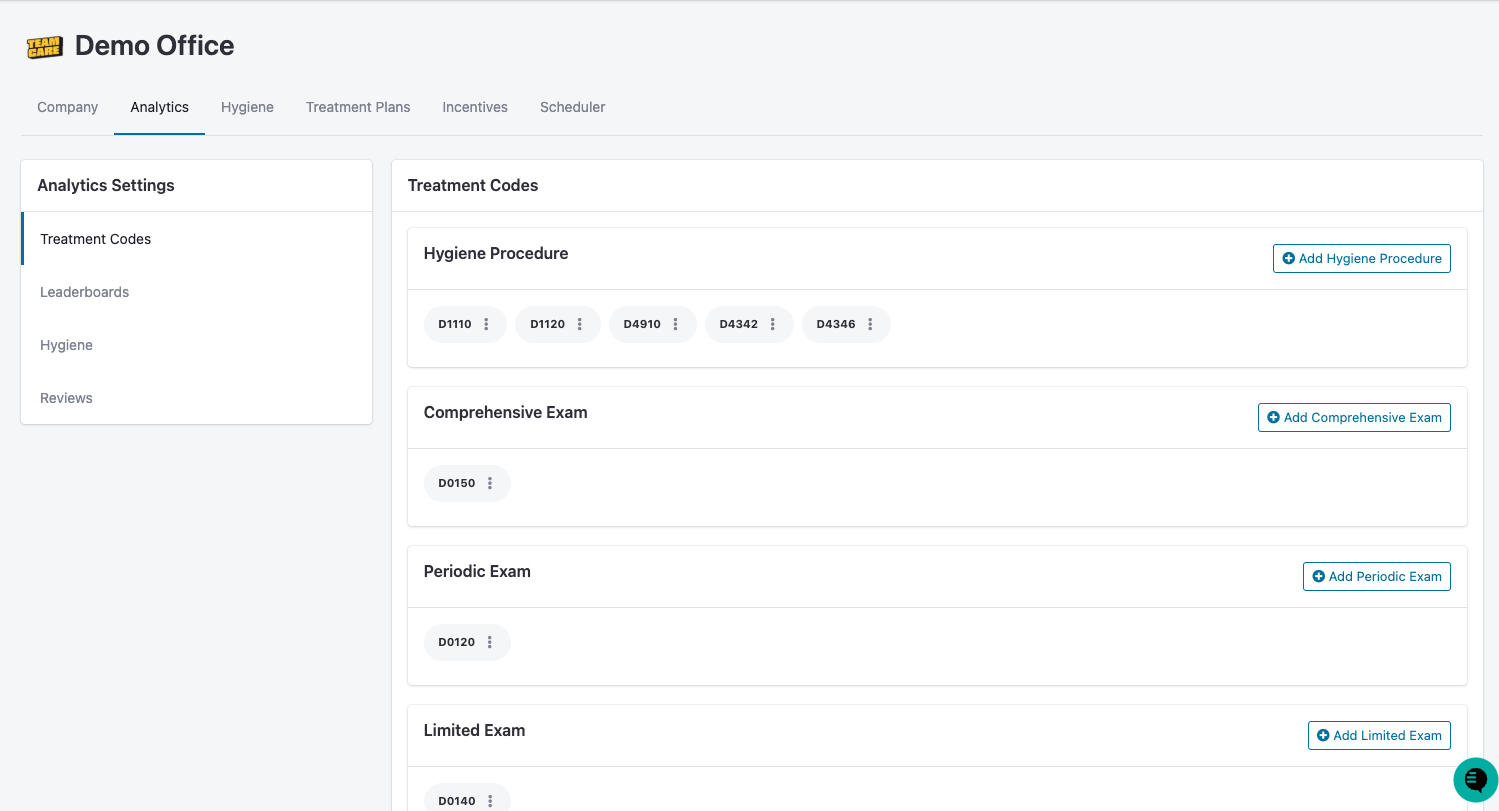
🛠 How to Edit Your Codes
Each category (Hygiene, Exams, etc.) functions as a "bucket." Only the codes inside these buckets will be counted toward your dashboard totals.
To Add a Code: Click the blue + Add [Category] button. Type the code number or the procedure name into the search bar and select it from the dropdown.
To Remove a Code: Click the small 'X' on the code bubble you wish to delete.
To See More: Many categories (like Cancellations or Perio) may require you to scroll down the page to view and edit.
📊 Why This Matters: The Impact
Changing these codes directly alters your data. Here is how these categories drive your specific dashboard metrics:
Treatment Category | Dashboards Impacted | Why it's Important |
Hygiene Procedures | Hygiene Dashboard, Reactivation List | Global consideration for which codes are used in evaluating a qualified hygiene appointment, both past and future |
Exams | Exams, Leaderboards | Makes explicit definition of which codes will be clarified for each exam type |
Perio Procedures | Perio | Determines which codes will be categorized in Perio hygiene procedures |
Cancellations | New Patients | Provides "omission" or "exclusion" codes so that posting these procedures does not trigger a false-positive New Patient |
💡 Pro-Tips for Accuracy
Custom Office Codes: If your practice uses custom internal codes (e.g., an "In-House Membership Exam" code), ensure you manually add it to the Exams category so it isn't left out of your production totals.
Regional Differences: Double-check that your codes match your specific region (e.g., ADA codes for the US vs. provincial codes for Canada).
⚠ Important Note on Advisory Relationships
Every company can customize its own definition of categories and codes. Because of this, it is possible for you and your Advisory Relationship (consultant or coach) to see slightly different data if your code settings are not synced. We recommend a quick "settings alignment" meeting if you notice discrepancies.