Production Discrepancies: TeamCare vs. Your PMS
Last updated: March 24, 2026
If your production numbers don't match between TeamCare and Dentrix, Open Dental, or another PMS, here's how to troubleshoot.
Gross vs. Adjusted Production
Before comparing numbers, make sure you're comparing the same thing:
Gross Production — Total charges before any adjustments
Adjusted Production — Gross minus insurance adjustments
Where each appears in TeamCare:
View | Shows |
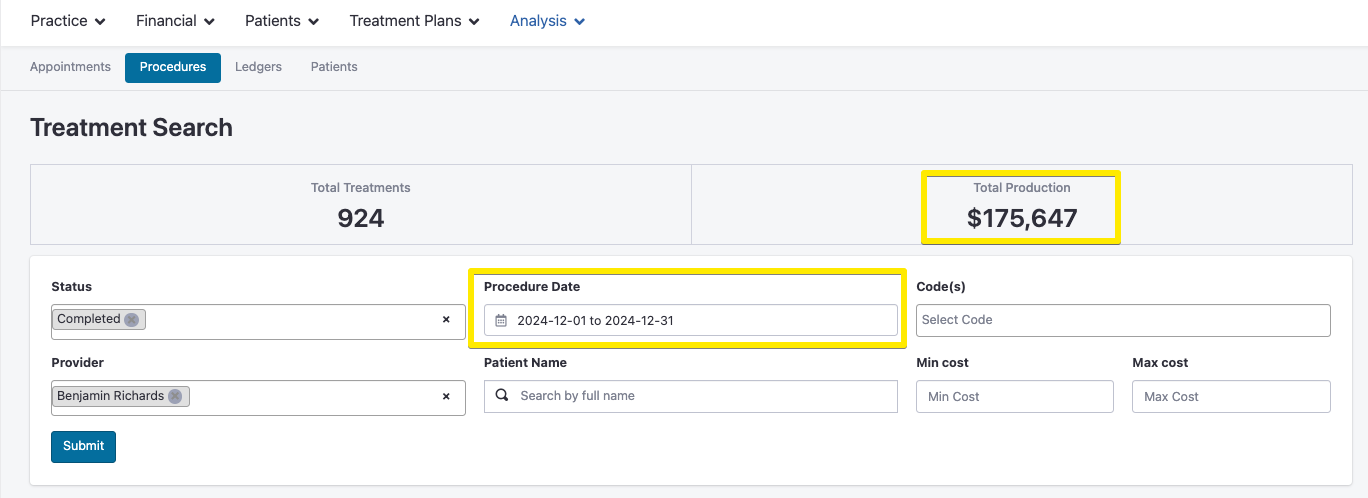
Gross production | |
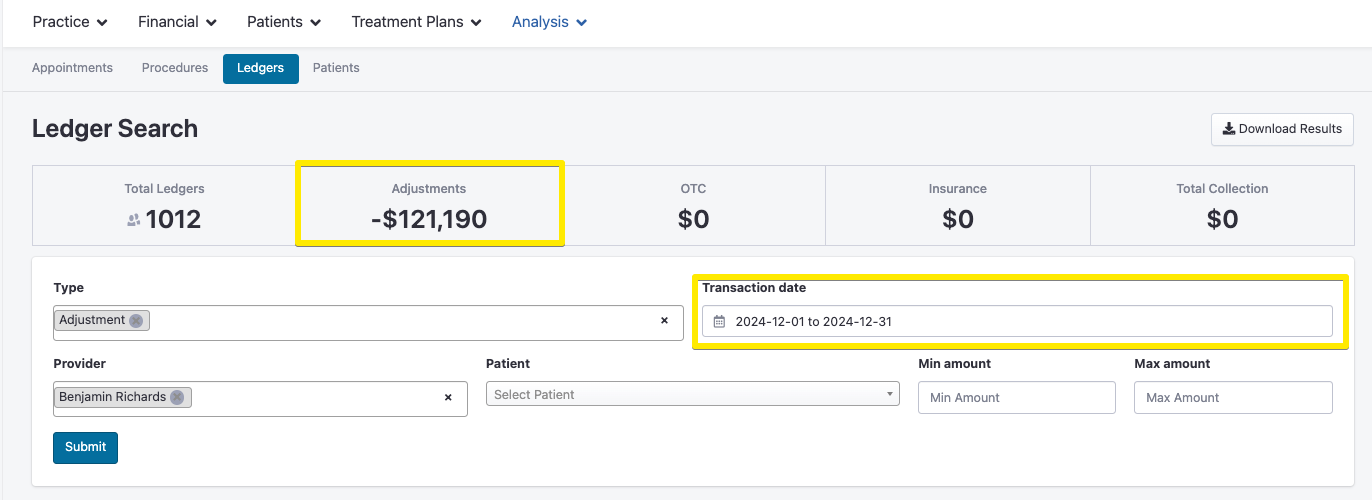
Insurance adjustments | |
Doctor Leaderboard | Adjusted production |
Hover over any completed production figure to see the gross/adjusted breakdown.
Common Reasons Numbers Don't Match
Wrong production type — Make sure you're comparing gross-to-gross or adjusted-to-adjusted.
Wrong date filter — Always use Procedure Date, not Entry Date, in your PMS report.
Wrong date range — Confirm both systems are set to the exact same period.
Open Dental adjustment method — Open Dental can apply adjustments by Procedure Date or Insurance Payment Date. TeamCare uses Insurance Payment Date. Make sure your OD report matches.
Pulling a Transaction-Level Report
If the above steps don't resolve it, pull a transaction-level report and send it to support@teamcaredental.com.
Open Dental
Reports → Standard → Daily → Daily Transactions → enter date range → export
📄 Open Dental Adjusted Production Gotchas
Dentrix
Office Manager → Reports → Management → Day Sheet → select date, check "Include Transaction Detail" → export; Note: select "Procedure Date"
📄 Dentrix: How to run a Day Sheet Report
Dentrix Ascend
Reports → Power Reporting → Day Sheet → filter by date → export
EagleSoft
Reports → Practice Management Reports → Day Sheet / Transactions by Date → enter date range → select Detailed → export
Where to View in TeamCare:
Treatment Search
Shows gross production before adjustments.
Ledger Search
Displays insurance adjustments applied to gross production.
Doctor Leaderboard
Shows adjusted production (gross minus adjustments).
Tip: Hover over completed production numbers to see the breakdown between gross and adjusted amounts.