Eaglesoft: Reports
Last updated: February 6, 2026
Learn how to achieve precise alignment between Eaglesoft and TeamCare Analytics reporting
Achieving precise alignment between Eaglesoft and TeamCare Analytics reporting is entirely feasible. This article will guide you through the steps to make it happen seamlessly.
Before we get started:
Eaglesoft has a number of reports that can be run to derive production, collection, and adjustment numbers. These reports can be run in several different ways.
We don't recommend using the "End of Days" period for your Eaglesoft reports. That setting has a specific job, and after you make changes in Eaglesoft, it won't show you the present, up-to-date info. Click here to learn more.
In this article, we'll go over:
How to Run a Production Report in Eaglesoft
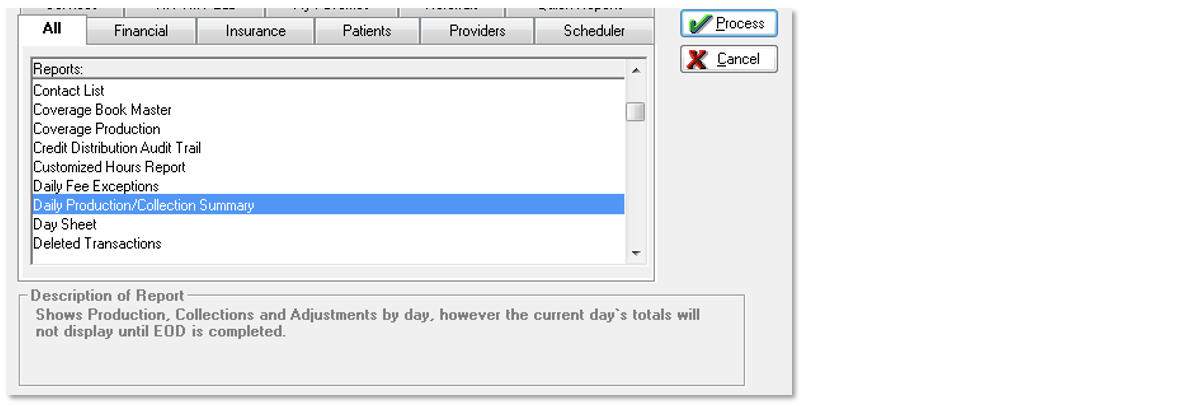
First, go into All Reports in Eaglesoft
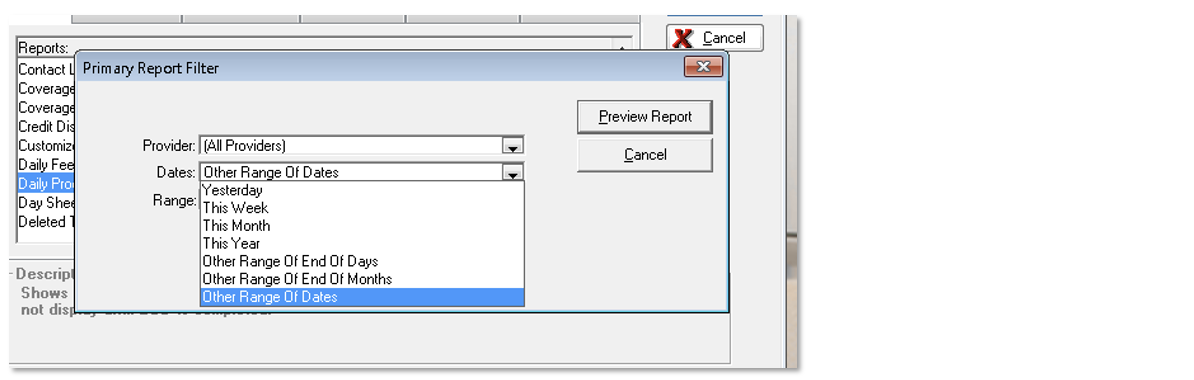
Highlight the Daily Production/Collection Summary report
Click the Process button
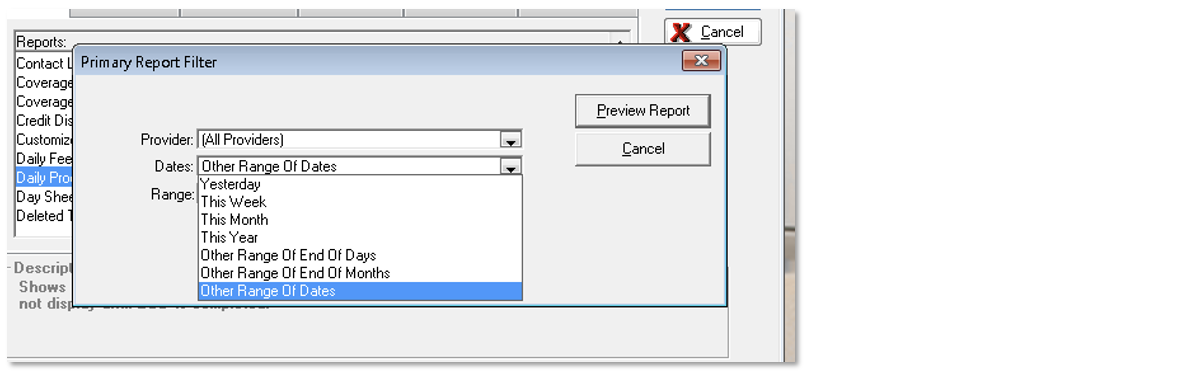
Under “Dates” select “Other Range of Dates” from the drop-down
Under Range, choose the start and end date for the report
Click Preview Report
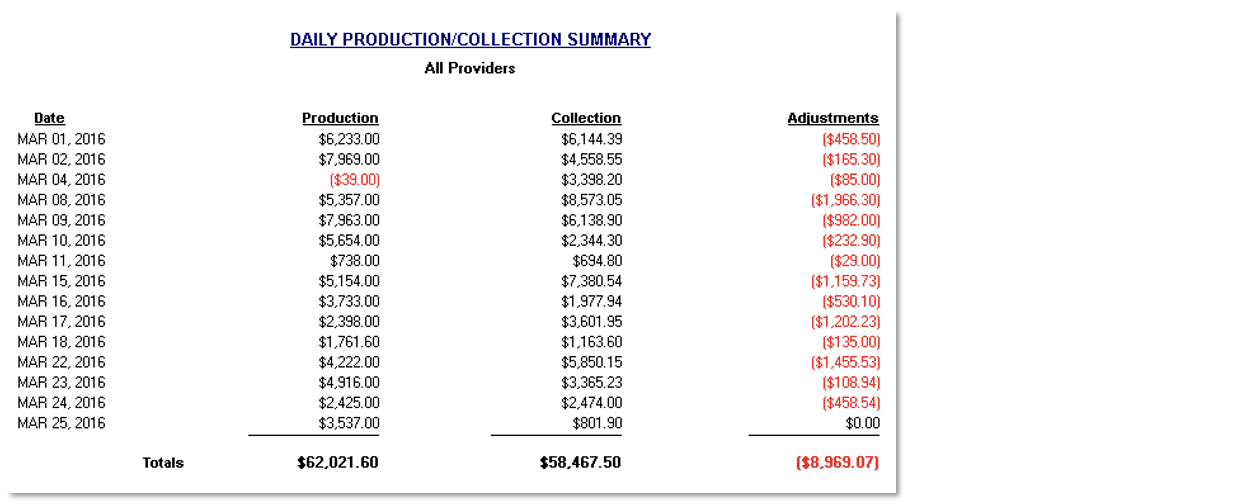
Review the Production and Collections Dashboards
Now, look at the Analytics Performance Board for the same selected time period. Check out the Production metric to see the same Completed Production and Adjustments amounts.
Now, look at the Analytics Collections Board for the same selected time period. The Collections metric will show the same amount of collections.
How to Run a Provider Production Report in Eaglesoft
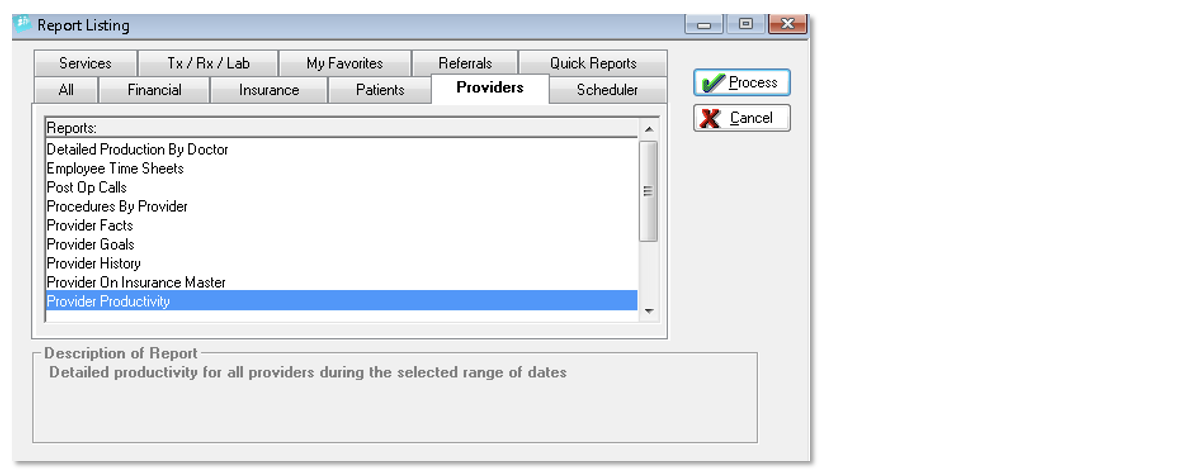
First, go into Providers Reports in Eaglesoft
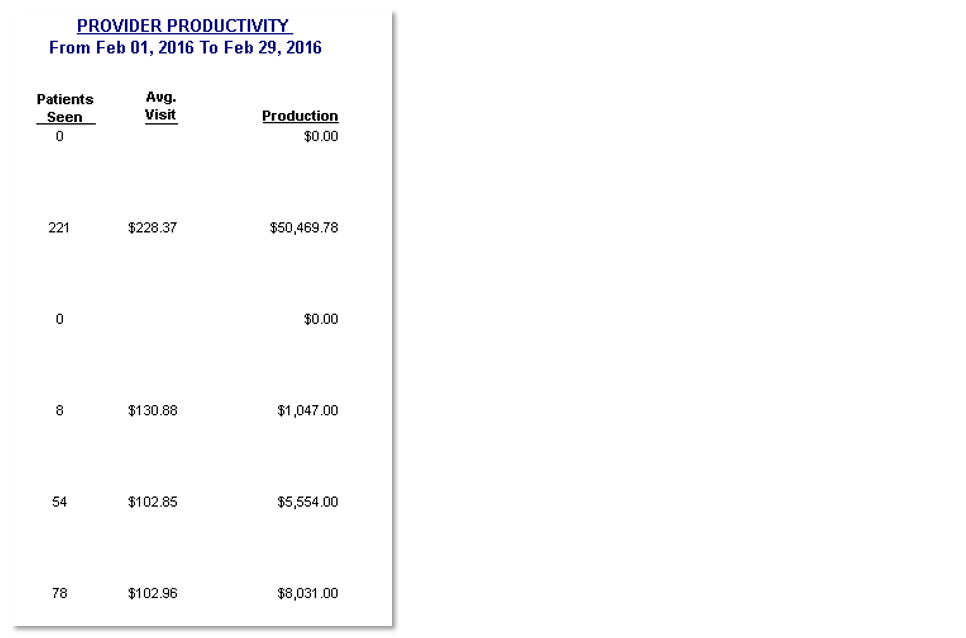
Highlight the Provider Productivity
Click the Process button
Under “Dates” select “Other Range of Dates” from the drop-down
Under Range, choose the start and end date for the report
Click Preview Report
Why Not to Use the "End of Days" Period in Eaglesoft
Here is an official statement from Eaglesoft regarding reconciling data in TeamCare Analytics:
"TeamCare customers will often ask why the information in the Eaglesoft End of Day report does not match what they see in TeamCare. The answer is they are not designed to match because they serve two different purposes. However, they can be easily reconciled once you understand the differences."
Essentially, "Other Range of End of Days" assumes that practices run their End of Days procedures perfectly each night in Eaglesoft, and that nothing is entered after the End of Days from yesterday. If your practice has ever forgotten to run the End of Days, or has intentionally waited to enter parts of a days production until the next morning, before the End of Days, the two reports will not match.
Continue reading here:
📄 Reconciling Information from TeamCare and Eaglesoft Reports