What qualifies a Hygiene Appointment?
Last updated: March 4, 2026
At TeamCare, we must be precise in targeting & properly categorizing appointments for practice analytics are accurate. Knowing how an appointment is classified as "Hygiene" is essential for tracking patient retention and maintaining a balanced schedule.
How We Identify a Hygiene Appointment
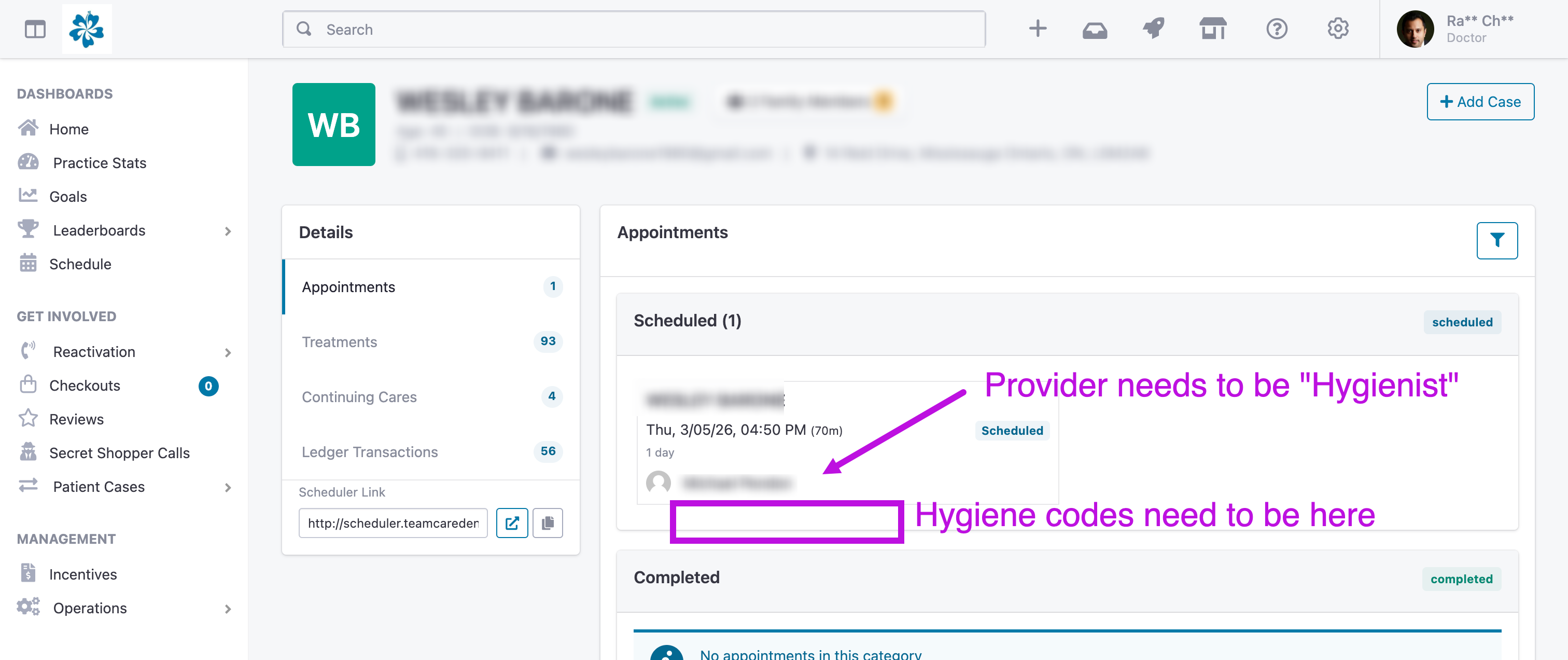
An appointment is automatically flagged as a hygiene visit if it meets at least one of the following two criteria:
Treatment Codes: The appointment contains specific hygiene-related codes that you've assigned into the company settings
Provider Role: The provider assigned to the appointment is designated as a Hygienist within TeamCare and your practice management software settings.
Why This Matters
When an appointment is correctly identified as hygiene, it triggers several automated features across the TeamCare platform:
Schedule Visualization: In the Schedule View, hygiene appointments are color-coded (typically pink) to distinguish them from doctor appointments (typically blue). This allows for a quick visual assessment of the day's flow.
Hygiene Reactivation: The system uses these appointments to track a patient’s "due" and "scheduled" status. If a qualified hygiene appointment and treatment code(s) are completed, the patient's reactivation clock resets.
Pre-appointment Status: This classification helps track your "Pre-appointed %." We monitor whether a patient leaving a hygiene visit has their next hygiene visit already on the books.
Hygiene Dashboards: Data from these appointments feeds directly into your hygiene-specific KPIs, such as hygiene production per hour and unfilled hygiene hours.
Pro Tip: If you notice a hygiene appointment appearing blue or not showing up in your reactivation lists, double-check that either the correct treatment codes are attached or that the provider is correctly mapped as a "Hygienist" in your settings.